
How do you choose Amazon advertising?
Choose Amazon advertising by matching the ad type to your goal and eligibility. Sponsored Products promote single listings and suit most sellers starting out. Sponsored Brands put your brand, several products or a video at the top of shopping results once you are enrolled in Amazon Brand Registry. Display and programmatic campaigns reach shoppers on and off Amazon for awareness and remarketing. Set a test budget, track advertising cost of sales (ACOS) against your margin and expand only what pays back.
This guide explains each Amazon ad type, how bidding and budgets work, which metrics matter and how to build a first campaign plan. At PROSeCommerce, part of PROS Global in San Diego, we help ecommerce brands plan Amazon advertising alongside their own Shopify stores. Program details come from Amazon Ads’ own pages, checked as of October 2026. Ad products change often, so confirm current options in your account before you launch.
The main Amazon ad types at a glance
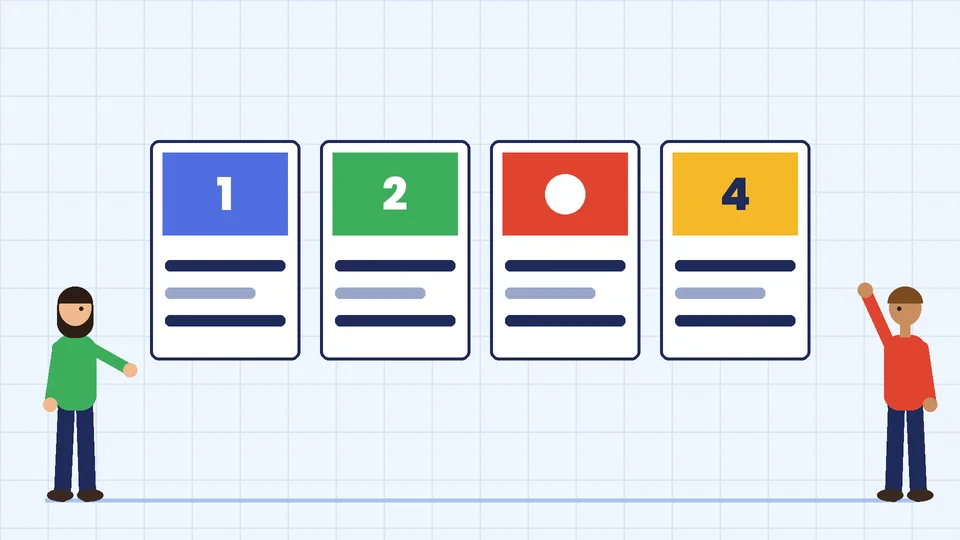
Amazon Ads offers several self-serve and managed products. These are the ones most sellers and vendors compare first:
| Ad type | What it promotes | Where it appears | How you pay | Who can use it |
|---|---|---|---|---|
| Sponsored Products | Individual product listings | Within, alongside and above shopping results and on product pages, plus select sites and apps | Cost per click (CPC) | Professional sellers, vendors, book vendors, KDP authors, agencies |
| Sponsored Brands | Your brand logo, headline, several products, a collection or a video | Top of search, within results and on product pages | CPC or cost per 1,000 viewable impressions (vCPM) | Vendors, book vendors, KDP authors, agencies and professional sellers enrolled in Brand Registry |
| Display ads | Products or brand messages to chosen audiences | On Amazon and on other sites and apps | Varies by campaign | Depends on format and account type |
| Programmatic (formerly Amazon DSP) | Display, video, audio and streaming TV | Amazon properties and third-party publishers | Programmatic pricing, self-serve or managed | Advertisers who sell on Amazon and those who do not |
| Brand Stores | A multipage brand page on Amazon | Your own amazon.com/brand-name style URL | Free to create | Brand Registry sellers, vendors and agencies |
Most brands start with the first row and add the others once they know which products and keywords convert.
Sponsored Products: the starting point for most sellers
According to Amazon Ads, Sponsored Products are cost-per-click ads that promote individual product listings on Amazon and on select premium apps and websites. When a shopper clicks the ad, they land on the product’s detail page.
How it works:
- Targeting. You choose keywords or products to target, or let Amazon target relevant keywords automatically.
- Bids. Your bid is the most you are willing to pay for a click. Amazon notes that a more competitive bid makes your ad more likely to show for a matching search.
- Budgets. You set a daily budget, which Amazon averages over the calendar month. Its example: a $100 daily budget can produce up to $3,100 of clicks in a 31-day month. Daily budgets are not paced through the day, so a small budget can run out quickly on busy days.
- Fees. There are no monthly or upfront fees. You pay for clicks.
- Eligibility. Products must be in an eligible category and eligible for the Featured Offer. Amazon says adult, used, refurbished and closed-category products cannot be advertised, and ads only show while the item is in stock.
Sponsored Products suit almost every catalog because they send the click straight to a product you can sell today. They are also where you learn which search terms actually lead to orders, data you can reuse in every other ad type.
Sponsored Brands: for registered brands
Sponsored Brands show your brand with video, image or product collection creatives. Amazon says these ads can appear above, alongside or within shopping results and on product pages, and can send shoppers to your Brand Store or to detail pages.
Key points from Amazon:
- Eligibility. Available to vendors, book vendors, KDP authors, agencies and professional sellers enrolled in Amazon Brand Registry.
- Pricing. Choose cost per click for traffic, or cost per 1,000 viewable impressions (vCPM) for brand visibility. There is no minimum spend for CPC or vCPM campaigns. The reserve share-of-voice option does require a minimum spend commitment.
- Formats. Amazon describes autoplay video creatives and collection ads that show several products together under your brand, both of which can point to your Brand Store or detail pages.
Sponsored Brands work best once you have a few products with good reviews and a clear brand story, because the ad sells the brand as much as one item.
Display and programmatic advertising
Amazon describes display ads as flexible formats that reach relevant audiences wherever they spend time, using Amazon-generated creative or your own assets. Typical uses are reaching shoppers who viewed your product but did not buy, and showing products to audiences interested in your category.
For larger budgets there is programmatic buying. Amazon’s programmatic page explains that Amazon DSP, its demand-side platform, has evolved into Amazon Ads Agent, which brings sponsored ads and display, video and audio (DVA+) campaigns into one platform. Amazon says programmatic campaigns can reach Amazon properties such as Prime Video, Twitch and Fire TV, plus third-party sites and apps. Self-service and managed-service options continue, and you do not need to sell on Amazon to use them. Amazon also notes that sponsored ads remain cost-per-click with no minimum spend.
For most small brands, programmatic is a later step. Start with search ads where intent is highest, then add display or programmatic once you know your margins and conversion rates.
Brand Stores: free, but a foundation for ads
A Brand Store is a free multipage brand page on Amazon. According to Amazon Ads, creating and maintaining a Store is free, you do not need to advertise to have one, and only brands with a pending or registered trademark can create one. Sellers must be enrolled in Brand Registry.
A Store gives Sponsored Brands and display ads a better landing page than a single listing. Group products by use or collection, add short brand copy and keep it updated as your catalog changes.
How Amazon ad costs work
Amazon’s sponsored ads run on auctions. You set a bid for a keyword or product target, and the price you pay per click depends on competition for that placement. A few rules of thumb:
- Start with a daily budget you can afford to spend every day for a month. Remember Amazon’s example: the monthly maximum is your daily budget times the days in the month.
- Bid by product margin. A product with a $25 margin can support a higher bid than one with a $6 margin.
- Separate brand and generic keywords. Searches for your own brand name usually convert at a different rate than broad category terms. Keep them in different campaigns so one does not hide the other.
- Check fees first. Advertising is on top of Amazon’s selling plan, referral fees and any fulfillment fees, so model your margin before you set bids.
Metrics that decide which ads to keep
Amazon’s ACOS guide defines the two numbers most sellers track:
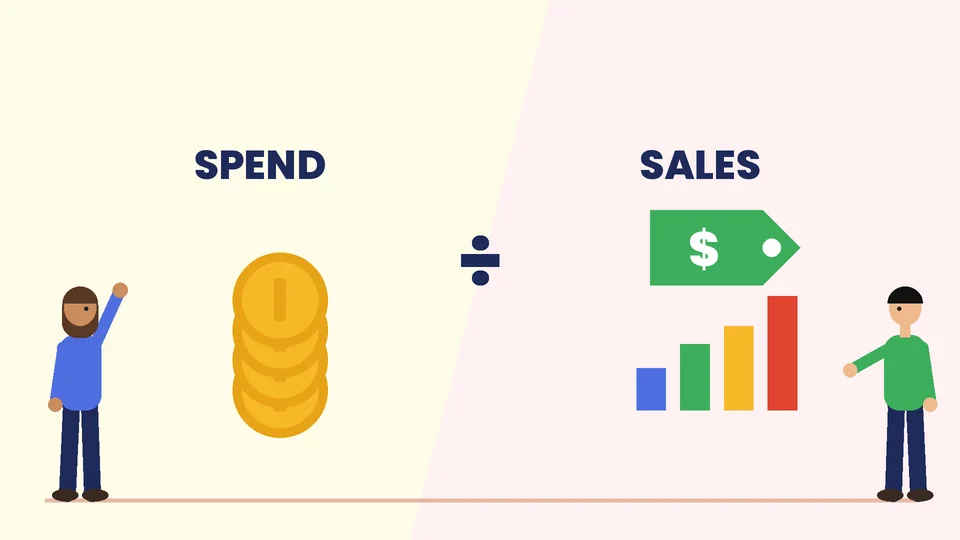
- ACOS (advertising cost of sales) is ad spend divided by ad revenue, shown as a percentage. Amazon’s example: spend $50, earn $100 in attributed sales, and ACOS is 50%.
- ROAS (return on ad spend) is ad revenue divided by ad spend. The same example gives a ROAS of 2.
To judge ACOS you need your break-even point. If a product’s profit margin before advertising is 30%, an ACOS of 30% means the ad sales roughly break even, an ACOS under 30% makes money on those sales and anything above loses money on them. Some brands accept a higher ACOS at launch to collect reviews and sales history, but set a time limit and a target before you start.
Other numbers to watch in your campaign reports:
- Click-through rate (CTR). Low CTR usually points to a weak main image, title or price compared with nearby listings.
- Conversion rate. Clicks without orders point to the detail page: images, bullet points, reviews, price or delivery speed.
- Search term report. Shows the real searches that triggered your ads. Add winners as exact-match keywords and add wasted terms as negative keywords.
- Total sales, not just ad sales. Ads can lift organic rank and repeat purchases, so look at your whole account trend as well as ad-attributed sales.
How to choose: match the ad to your goal
Use these questions to pick your mix:
- Are you in Brand Registry? If not, start with Sponsored Products. Brand Registry opens Sponsored Brands and Brand Stores for sellers, so it is worth pursuing if you own a trademark.
- What is the goal? For sales of specific products, use Sponsored Products. For brand awareness and cross-selling, add Sponsored Brands. For reaching past visitors and new audiences, test display.
- How many products do you sell? One or two products can run on Sponsored Products alone. A larger catalog benefits from Sponsored Brands collections and a Store.
- What can you afford to test? Give each campaign enough budget and time to collect real data before you judge it. A campaign that gets a handful of clicks tells you little.
- Is the listing ready? Ads magnify what is on the detail page. Fix images, titles, bullets and reviews before you spend.
A simple first campaign plan
If you are new to Amazon ads, this plan keeps the test controlled:
- Pick two or three products with healthy margins, stock on hand and at least a few reviews.
- Launch one automatic Sponsored Products campaign with a modest daily budget to discover search terms.
- Launch one manual campaign with a short list of exact and phrase match keywords you already know buyers use.
- Review the search term report every week. Move proven terms into the manual campaign and add irrelevant terms as negatives.
- Adjust bids by ACOS against break-even, raising bids on profitable terms and lowering or pausing the rest.
- Add Sponsored Brands once you are in Brand Registry and have a Store or a strong product collection.
- Test display last, for remarketing to shoppers who viewed your products.
For a refresher on how keyword auctions work on another major platform, see our guide to how Google Ads works. If you pay for impressions rather than clicks, our guide to CPM advertising explains when that model makes sense.
Common Amazon advertising mistakes
- Advertising a weak listing. Poor images or few reviews waste clicks. Fix the page first.
- Letting automatic campaigns run unchecked. Review search terms and add negatives every week.
- Judging too early. A few days of data rarely shows what a campaign will do over a month.
- Ignoring stock. Amazon only shows Sponsored Products ads for items in stock, so running out stops your ads and your sales history.
- Chasing a low ACOS at any cost. A very low ACOS with tiny sales may mean you are bidding too low to grow.
- Forgetting the rest of the funnel. Amazon ads drive marketplace sales. Your own store, email list and other channels still matter for repeat buyers.
How Amazon advertising fits your wider marketing
Amazon is one channel. Many brands sell on Amazon and on their own Shopify store at the same time, and each channel supports the other. Shoppers often see a product on Amazon, search for the brand later and buy on its website, or the reverse. Plan your Amazon ads as part of a wider plan, with consistent product names, images and pricing across channels.
If you are still deciding how to sell on Amazon, our guide to Amazon Vendor Central vs Seller Central explains the two programs. For a broader view of paid and organic channels, read our guide to ecommerce marketing strategies.
Frequently asked questions
What is the best type of Amazon advertising for beginners?
How much does Amazon advertising cost?
Do I need Brand Registry to advertise on Amazon?
What is a good ACOS on Amazon?
What is the difference between ACOS and ROAS?
Can I advertise on Amazon if I do not sell on Amazon?
Choose the Amazon ads that pay back
Start with Sponsored Products on your best products, measure ACOS against your break-even margin and review search terms every week. Add Sponsored Brands and a Brand Store once you are in Brand Registry, and test display after that. If you would like help planning Amazon advertising alongside your Shopify store, contact PROSeCommerce.