
What Shopify conversion rate optimization means
Shopify conversion rate optimization (CRO) is the practice of increasing the share of store sessions that end in a purchase by removing friction in discovery, product pages, cart, and checkout. Shopify reports conversion rate as the percentage of sessions that resulted in a purchase, so CRO work moves that number by fixing real buyer obstacles.
That definition matters because a lot of CRO advice skips the diagnosis. Countdown timers, pop-ups, and color changes get bolted on before anyone has looked at where shoppers actually drop off. This guide works the other way round: read the funnel, find the leak, fix one thing, and measure it honestly. It is written for US merchants on Shopify and Shopify Plus, and it uses Shopify Help Center and Google Search Central documentation checked as of October 2026. PROSeCommerce, part of PROS Global in San Diego, is a Shopify and Magento agency, and this is the same order of work we follow when a client asks why traffic is growing but orders are not.
Read your conversion funnel before changing anything
Start in Shopify admin under Analytics > Reports and open the Conversion rate breakdown report. It shows four steps in order: all sessions, sessions with cart additions, sessions that reached checkout, and sessions that completed checkout. Each step is calculated against total sessions, which lets you see the largest drop at a glance.
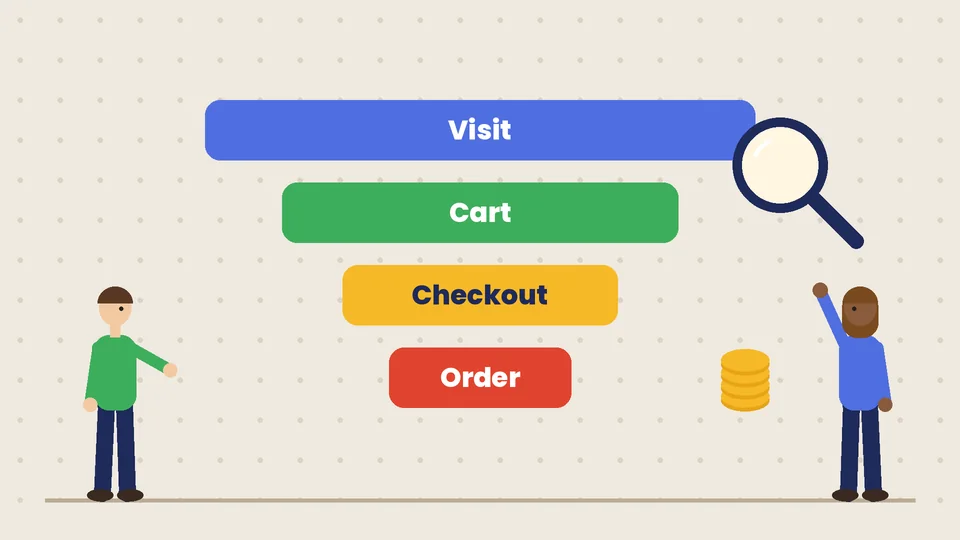
The report has an Open Funnel toggle. An open funnel counts sessions that hit a step in any order, such as a shopper who jumps straight to checkout from a cart link. A closed funnel only counts sessions that complete each step in sequence. Use the closed view when you want to know how many browsers became buyers through the normal path.
| Funnel step | A weak step usually points to | Where to look first |
|---|---|---|
| Sessions to cart additions | Product pages, price clarity, variants, trust | Top landing pages, product page content, mobile layout |
| Cart additions to reached checkout | Surprise costs, cart friction, distractions | Shipping thresholds, cart drawer, discount messaging |
| Reached checkout to completed checkout | Payment, shipping options, form friction, failed payments | Checkout settings, payment methods, abandoned checkout timeline |
Break the numbers down by device and landing page before you act. A 2% gap on desktop and a 40% gap on mobile are two different projects.
The September 2026 sessions change
As of October 2026, Shopify’s Help Center notes that a session measurement update rolled out from September 21 to 23, 2026. Sessions now follow continued customer activity instead of ending at midnight UTC, some sessions without a pageview are counted, and identified bot sessions are filtered out of session reports by default. Orders and sales are not affected, but sessions and conversion rate can move. Shopify’s advice is to treat the post-update numbers as a new baseline, so do not credit or blame a late-September redesign for a jump that may be measurement.
Why there is no single “good” Shopify conversion rate
A good Shopify conversion rate is one that beats your own recent baseline for the same traffic mix. Store-wide averages hide huge differences between paid social and email traffic, new and returning visitors, a $25 consumable and a $900 piece of furniture. Compare like with like, by channel and device, rather than chasing a number from someone else’s store.
If you need an outside reference, use your own historical data in Shopify, filtered to human sessions. The bot filtering settings matter here: automated traffic inflates sessions and drags the rate down, which makes a store look worse than it is.
Speed and Core Web Vitals: the first technical lever
A slow storefront taxes every other improvement. Shopify admin includes web performance reports for the three Core Web Vitals, shown over time, by page URL, and by page type. Google’s Core Web Vitals documentation sets the “good” thresholds, as of October 2026, at Largest Contentful Paint within 2.5 seconds, Interaction to Next Paint under 200 milliseconds, and Cumulative Layout Shift under 0.1.
The usual culprits on Shopify are predictable:
- Apps that inject scripts on every page, including apps you uninstalled but whose code stayed in the theme.
- Oversized hero images and sliders on collection and home pages.
- Multiple review, chat, and pop-up widgets loading before the product content.
- Web fonts with several weights that block text rendering.
Fix the page types that carry revenue first, usually product and collection pages on mobile. Our guide on how to speed up your Shopify store walks through the audit step by step.
Help shoppers find the right product faster
Shoppers who cannot find a product do not convert, no matter how good the checkout is. Two built-in reports are underused here. Searches with no results lists the terms people typed that returned nothing, and Searches with no clicks shows searches whose results were ignored. Both can lag by up to 72 hours, so review them weekly rather than daily.
Common fixes:
- Add the words shoppers actually use to product titles, descriptions, or synonyms. If people search “sofa” and you only say “couch”, search will miss them.
- Use the Shopify Search & Discovery app to add filters on collection pages for size, color, material, or price.
- Keep collection structures shallow and named the way customers think, not the way the warehouse labels things.
Good navigation also helps organic search. The same structure supports the advice in our Shopify SEO checklist.
Product pages that answer the buying questions
Most add-to-cart problems are information problems. Before a shopper commits, they want to know the total price, whether the variant they need is in stock, when it will arrive, what happens if it does not fit, and whether other people were happy with it.

A practical checklist for each top product template:
- Price and offer clarity. Show the price, any compare-at price, and the free shipping threshold near the add-to-cart button.
- Variant clarity. Swatches or clear labels for each option, and sold-out variants marked rather than hidden behind an error.
- Delivery and returns. A short line on shipping time and the return window, with a link to the full policy.
- Images that answer questions. Scale, detail, the product in use, and every color you sell.
- Specs in structured fields. Use metafields for dimensions, materials, or care instructions so the theme can show them consistently.
- Social proof. Genuine reviews and photos. Our article on using customer reviews and social proof to increase trust covers how to collect them honestly.
For layout ideas, see how to build a high-converting product page on Shopify.
Cart and checkout friction
Shopify’s checkout is already well built, so the gains here come from settings and surprises rather than redesigns. As of October 2026, Shopify sets one-page checkout as the default layout, and you can switch between one-page and three-page layouts in the checkout and accounts editor.
Accelerated payment matters. Shop Pay saves a customer’s email, payment, and shipping details for faster repeat checkouts and is included with Shopify Payments. Check that Shop Pay and the wallets your customers use are active, then test checkout on a real phone.
The biggest checkout killer is usually cost shock: shipping or taxes that appear for the first time at the last step. Show shipping estimates or thresholds in the cart, keep the discount field from distracting full-price buyers, and make sure delivery options are labeled in plain language.
How far you can change checkout depends on your plan. Shopify’s checkout customization comparison lists these differences as of October 2026:
| Checkout capability | Basic plan or higher | Shopify Plus |
|---|---|---|
| Checkout and accounts editor (branding, layout settings) | Yes | Yes |
| Apps on thank you and order status pages | Yes | Yes |
| Apps on information, shipping, and payment steps | No | Yes |
| Checkout Branding API | No | Yes |
If deeper checkout changes are the real constraint, compare plans in our Shopify plans guide before paying for workarounds.
Recover abandoned checkouts properly
Shopify treats a checkout as abandoned when it stays incomplete for more than ten minutes after the customer has entered an email address. The abandoned checkouts page lists them, and automated recovery emails are set up in the Shopify Messaging app under Automations. Abandoned checkouts older than three months are deleted automatically, so export them if you want long-term analysis.
Two habits pay off. First, open the timeline of recent abandoned checkouts and read the payment events. A cluster of declined cards, address mismatches, or 3-D Secure failures is a payment configuration problem, not a marketing problem. Second, keep recovery emails simple: the cart, a clear link, and an answer to the obvious objection such as shipping cost or returns. Our ecommerce marketing strategies guide covers how recovery fits into wider email and SMS flows.
Raise order value without hurting conversion
Conversion rate is only half of revenue per session. Relevant add-ons, bundles, and free shipping thresholds can lift order value, but every extra offer is also a distraction. Keep recommendations relevant and limited, and watch conversion rate alongside average order value whenever you add one. Our guide on how to upsell your products with Shopify explains the native tools and where each one belongs.
How to test changes without fooling yourself
A useful Shopify CRO test changes one thing, targets one funnel step, and runs long enough to cover full weekly cycles. Measure the step you changed, the overall conversion rate, and revenue per session together. A change that lifts add-to-cart but lowers completed checkouts is not a win.
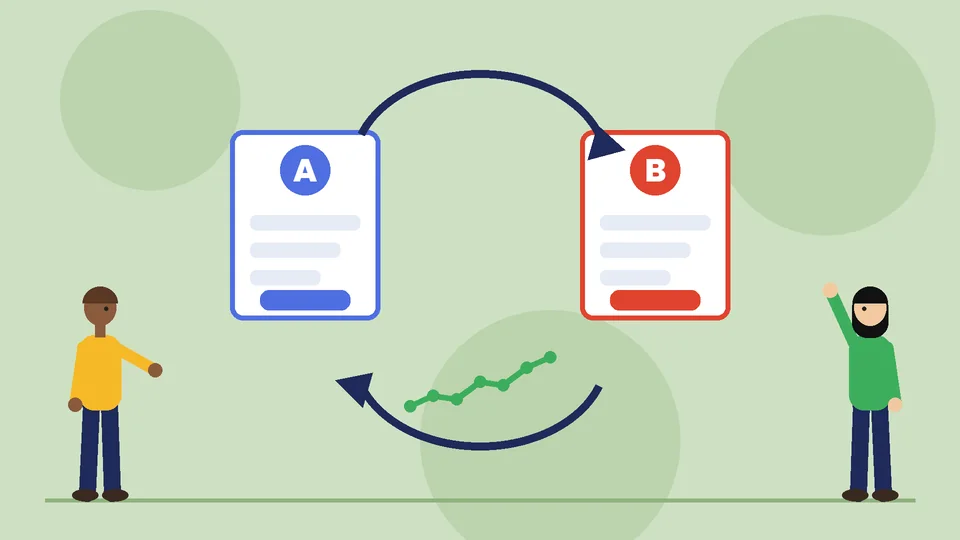
A simple test log keeps the team honest:
| Field | Example |
|---|---|
| Hypothesis | Showing the free shipping threshold on product pages will raise cart additions on mobile |
| Change | Add one line under the price on the default product template |
| Primary metric | Sessions with cart additions, mobile, human sessions |
| Guardrail metrics | Conversion rate, average order value, refund rate |
| Duration | At least two full weeks, avoiding a sale period |
| Result and decision | Keep, revert, or retest with a larger sample |
Smaller stores often lack the traffic for statistically clean A/B tests. That is fine. Make sequential changes, compare equal periods, and avoid overlapping changes with promotions, theme updates, or the measurement shifts described above.
A 30-day Shopify CRO plan
- Week 1: baseline. Export the conversion rate breakdown by device and landing page, filtered to human sessions. Note the post-September 2026 baseline.
- Week 1: speed. Review web performance reports and remove or defer the heaviest scripts on product and collection pages.
- Week 2: discovery. Fix the top ten no-result searches and add filters to the busiest collections.
- Week 2: product pages. Apply the product page checklist to your top five products by sessions.
- Week 3: cart and checkout. Show shipping thresholds early, confirm Shop Pay and wallets, and read abandoned checkout payment events.
- Week 4: recovery and review. Tune the abandoned checkout automation, then compare the four weeks against the baseline and choose the next test.
Frequently asked questions
What is a good conversion rate for a Shopify store?
How do I find my conversion rate in Shopify?
Why did my Shopify conversion rate change in late September 2026?
Does site speed really affect Shopify conversions?
Should I use A/B testing apps on a small store?
How long does Shopify CRO take to show results?
Where to start this week
Open the conversion rate breakdown, filter to human sessions, and find the single biggest drop on mobile. Fix that step first, log the change, and give it two full weeks before you judge it. Then move to the next leak. Steady, measured fixes beat a pile of widgets.
If you would rather have a second set of eyes on the funnel, PROSeCommerce can review your Shopify analytics, speed, product pages, and checkout settings and turn them into a prioritized test plan for a US store.