
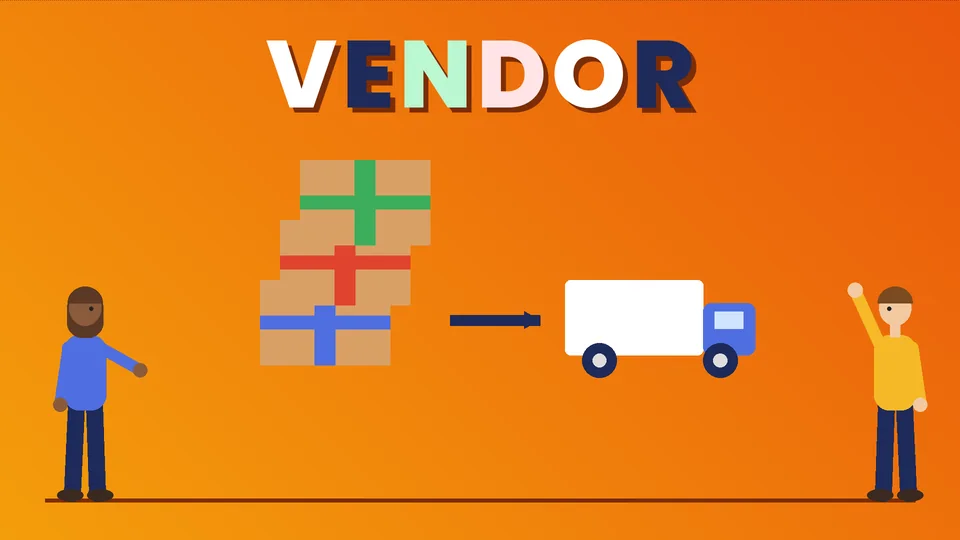
What is Amazon Vendor Central?
Amazon Vendor Central is the portal Amazon’s first-party suppliers use to sell products wholesale to Amazon. As a vendor, you do not sell to shoppers yourself. Amazon sends you purchase orders, you ship the goods to Amazon’s warehouses, and Amazon becomes the seller of record, sets the retail price and handles fulfillment and customer service. Vendor Central is invitation only. Most brands instead sell through Seller Central, the open third-party program where you keep control of pricing and listings and pay selling fees on each sale.
This guide explains how Vendor Central works, how it compares with Seller Central, the pros and cons of each, and how to decide which fits your brand. At PROSeCommerce, part of PROS Global in San Diego, we help ecommerce brands plan marketplace channels alongside their own Shopify stores. Program details come from Amazon’s own seller pages (sell.amazon.com and Seller Central), checked as of October 2026.
How Amazon Vendor Central works
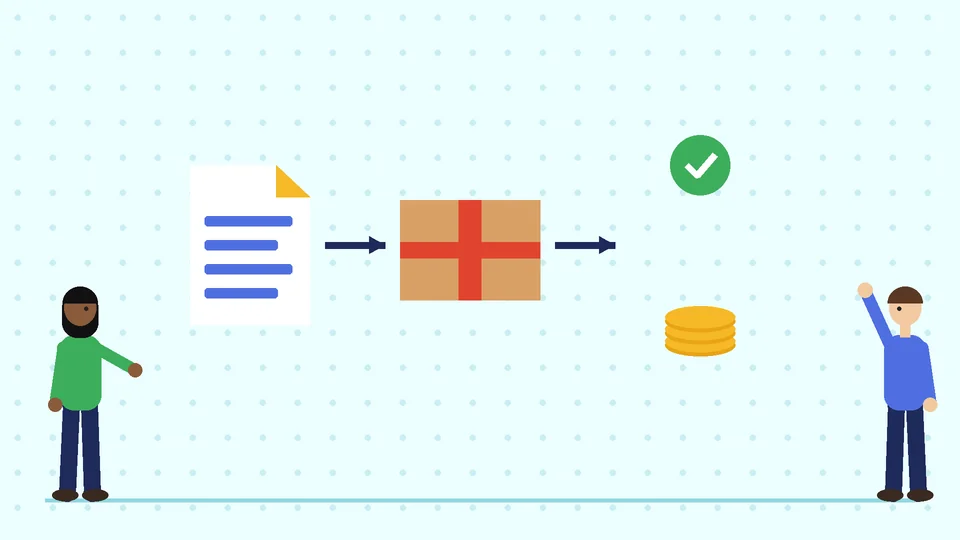
Amazon describes Vendor Central as a first-party vendor relationship. Instead of selling directly to customers, vendors sell in bulk to Amazon, and Amazon then sells and distributes the products. In practice, the cycle looks like this:
- Invitation and setup. Amazon’s vendor team invites a brand or manufacturer, and the two sides agree on terms, such as cost prices, payment terms and any marketing or logistics allowances.
- Product setup. The vendor adds or updates product listings, images and detail page content in Vendor Central.
- Purchase orders. Amazon sends purchase orders based on its own demand forecasts.
- Shipping. The vendor confirms each order and ships to the Amazon fulfillment centers listed on it, following Amazon’s packaging and labeling rules.
- Payment. Amazon pays invoices on the agreed terms.
- Retail selling. Amazon sets the retail price, runs the buy box as the seller of record (“Ships from and sold by Amazon.com”) and handles delivery, returns and customer service.
Because Amazon is the buyer, the vendor’s main levers are cost price, product content, advertising and supply reliability. Retail pricing and day-to-day stock decisions sit with Amazon.
Vendor Central vs Seller Central
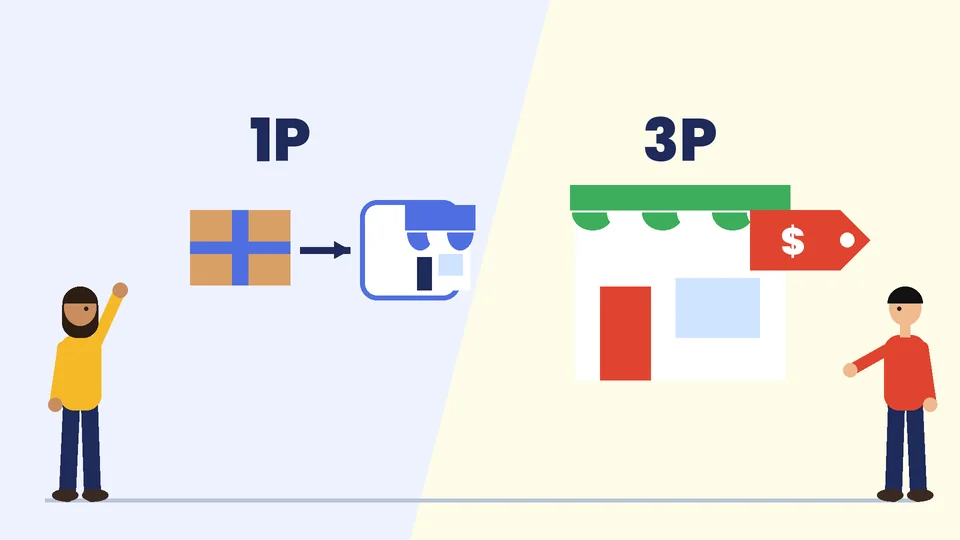
Seller Central is the third-party side of Amazon. According to Amazon, it is open to any business owner or entrepreneur, and sellers sign up at sell.amazon.com. Here is how the two programs compare:
| Vendor Central (first party, 1P) | Seller Central (third party, 3P) | |
|---|---|---|
| Who can join | By invitation from Amazon | Open to any business that registers |
| Who sells to the shopper | Amazon | You |
| Who sets the retail price | Amazon | You |
| How you get paid | Amazon pays your invoices for wholesale orders | You receive sale proceeds minus Amazon’s fees |
| Fulfillment | You ship bulk orders to Amazon; Amazon ships to shoppers | You ship each order yourself or use Fulfillment by Amazon (FBA) |
| Customer service | Amazon | You (or Amazon for FBA orders) |
| Typical costs | Negotiated terms and allowances | Selling plan plus referral fees and any FBA or advertising fees |
| Data and control | Less control over price and stock levels | Full control of listings, pricing and inventory |
Amazon’s own Seller Central forum puts the trade-off simply: Seller Central gives you control of the retail experience, while Vendor Central lets Amazon handle retail pricing, fulfillment and the customer experience in exchange for less control.
Seller Central costs, for comparison
Since you cannot apply for Vendor Central, most brands start by pricing out Seller Central. According to Amazon’s pricing page:
- The Individual plan costs $0.99 per item sold, with no monthly fee.
- The Professional plan costs $39.99 a month, no matter how many items you sell.
- Referral fees apply to each sale and vary by category. In many categories the rate is 15%, with a minimum fee per item.
- FBA fees, storage fees and advertising are extra if you use them.
Some categories need approval, and some brand tools require enrollment in Amazon Brand Registry. Check Amazon’s current fee schedule for your category before you set prices.
Pros and cons of Amazon Vendor Central
Vendor Central advantages
- Wholesale simplicity. You ship larger orders to one customer instead of managing thousands of individual orders.
- “Sold by Amazon” listings. Products are sold and shipped by Amazon, which some shoppers prefer.
- Less customer service work. Amazon handles shopper questions, delivery and returns.
- Amazon’s retail programs. Vendors can access some programs and promotional tools that Amazon runs for its first-party selection.
Vendor Central disadvantages
- No control over retail price. Amazon can lower its price, which can affect your other retailers and your own website.
- Unpredictable orders. Purchase orders follow Amazon’s forecasts, so volumes can change from week to week.
- Negotiated costs. Terms often include allowances and deductions that reduce your margin. Read every term before signing.
- Chargebacks. Shipping or labeling mistakes can lead to deductions, so your warehouse processes must be tight.
- Slower payment. You are paid on invoice terms instead of shortly after each sale.
Pros and cons of Amazon Seller Central
Seller Central advantages
- Open to everyone. You can register today without waiting for an invitation.
- Control. You set prices, manage listings and decide which products to sell.
- Direct customer insight. Sales and traffic reports in Seller Central show how each product performs.
- Flexible fulfillment. Ship orders yourself or use FBA, and switch per product.
Seller Central disadvantages
- More work. You handle pricing, stock, customer messages and returns, unless you use FBA.
- Fees on every sale. Referral fees, plan fees, FBA fees and ads add up and need careful margin planning.
- Competition on listings. Other sellers can offer the same product, so brand protection through Brand Registry matters.
Key Vendor Central terms to know
If Amazon invites you, the vendor agreement and the Vendor Central dashboard use several terms that affect your margin. Ask your Amazon contact to explain each one for your account:
- Cost price. The wholesale price Amazon pays you per unit. Amazon then sets its own retail price.
- Payment terms. How many days after invoice Amazon pays you.
- Allowances. Agreed amounts deducted from what Amazon pays, such as marketing or damage allowances.
- Chargebacks. Deductions for problems with shipments, such as wrong labels, late deliveries or packaging that does not follow Amazon’s rules.
- Purchase order confirmation. Vendors confirm, change or reject each order. Confirmation rates and on-time shipping affect your relationship with Amazon.
Amazon’s Seller Central forum notes that vendor support comes from the vendor’s Amazon vendor management team, which is a different support path from Seller Central’s support tickets.
How to get started on Seller Central
For most brands, the practical path is Seller Central. A simple launch plan:
- Register at sell.amazon.com and choose the Individual or Professional plan.
- Prepare your documents, such as government ID, bank account and tax details, for identity verification.
- Check category approval for your products, as some categories need extra approval.
- Enroll in Brand Registry if you own a registered trademark, to protect your listings and use brand tools.
- Create listings with accurate titles, bullet points, images and barcodes.
- Choose fulfillment: ship orders yourself or send inventory to FBA.
- Start small, with a few products, check your margins after fees and then expand.
If you plan to run ads once your listings are live, our guide to how to choose Amazon advertising explains the main ad types.
Which Amazon program is right for your brand?
Use these questions to decide:
- Have you been invited? If not, Seller Central is your only option for now.
- How important is price control? If you sell through other retailers or your own site and need consistent pricing, Seller Central gives you more control.
- Can your operations handle bulk purchase orders and Amazon’s shipping rules? Vendor Central suits brands with established wholesale logistics.
- Do you want to own the customer data and listing? Seller Central gives you more reporting and direct control.
- What are your margins after all fees and terms? Model both options with real numbers before you choose.
Some brands use both models, a setup often called hybrid. That adds complexity, so plan which products go through each program and who manages pricing and content.
How Amazon fits with your own online store
Amazon is one channel. Your own Shopify store is where you control the brand experience, collect customer emails and avoid marketplace fees. Many brands run both. Shopify’s Marketplace Connect app syncs Shopify listings, orders and inventory with Amazon Seller Central accounts, so you manage stock in one place. It does not connect to Vendor Central, because vendor orders are wholesale purchase orders, not individual shopper orders.
If you are still deciding how to set up your store, our guide to what Shopify is and how it works is a good place to start. For a wider view of your channels, read our guide to ecommerce marketing strategies, and if you plan to add Walmart too, see our Shopify Walmart integration guide.
Frequently asked questions
What do vendors do in Vendor Central?
Can I sign up for Amazon Vendor Central?
What is the difference between Vendor Central and Seller Central?
How much does Amazon Seller Central cost?
Is Vendor Central better than Seller Central?
Can I connect Vendor Central to Shopify?
Choose the Amazon model that fits your business
Vendor Central and Seller Central suit different brands. Vendor Central trades control for wholesale simplicity, and you need an invitation to join. Seller Central is open to all and gives you control, along with more work and per-sale fees. Model both with real numbers, protect your brand and keep your own store at the center. If you would like help planning your Amazon and Shopify channels, contact PROSeCommerce.