
Why does a business need a marketing automation system?
A marketing automation system sends the right message to the right person at the right time without someone pressing “send” every time. It tracks what people do, such as signing up, browsing, buying or going quiet, and triggers emails, text messages, tags, tasks or ad audiences in response. For a small or mid-sized business, the main benefits are faster follow-up, consistent customer journeys, less manual work and clear reporting on which messages lead to sales.
This guide explains what marketing automation is, the workflows worth building first, how it connects to your CRM and store, the email sending rules you must follow, and how to measure results. At PROSeCommerce, part of PROS Global in San Diego, we set up automation for ecommerce and service businesses, and these are the workflows we start with. Sending rules come from Google’s email sender guidelines and the US Federal Trade Commission, and Shopify details from the Shopify Help Center, checked as of October 2026.
How marketing automation works
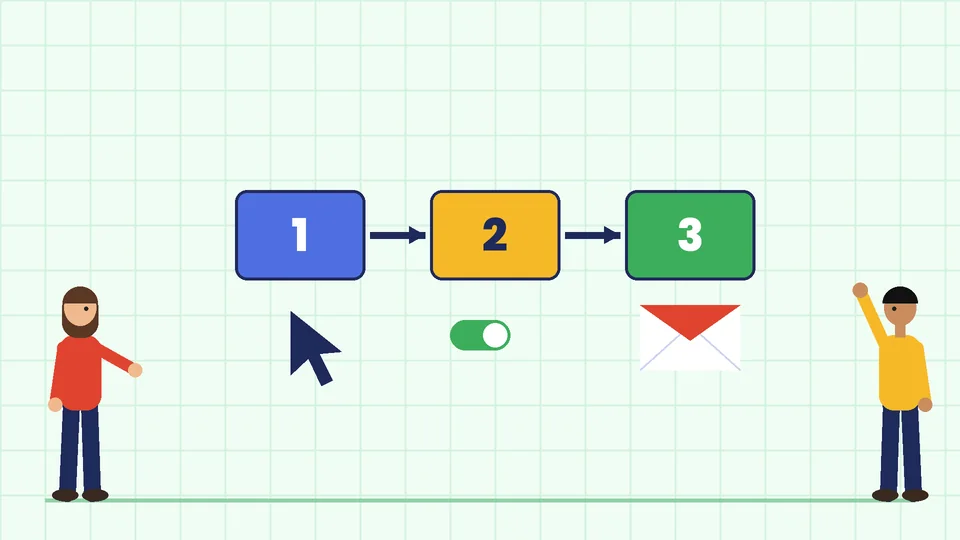
Marketing automation software runs rules you set up in advance. Most workflows follow the same pattern:
- Trigger: an event starts the workflow, such as a new subscriber, an abandoned cart, a first order or 90 days without a purchase.
- Conditions: the system checks rules, for example whether the customer accepts marketing, which products they bought or how much they spent.
- Actions: it sends an email or text, adds a tag, moves the contact to a segment, alerts your team or updates another system.
- Timing: waits between steps keep messages spaced out, and exit rules stop the workflow when the person buys or unsubscribes.
Shopify’s own automation app, Shopify Flow, uses the same structure. According to the Shopify Help Center, Flow builds workflows from triggers, conditions and actions, each workflow has exactly one trigger, and Flow is a free app on the Basic, Grow, Advanced and Plus plans, with some actions, such as Send HTTP request, limited to Grow and higher plans.
The benefits of marketing automation
Faster, consistent follow-up
People are most interested right after they act. An automated welcome email or quote follow-up goes out within minutes, every time, even on weekends.
Better customer journeys
Automation lets you plan the whole path from first visit to repeat purchase. This is where customer experience mapping comes in: you list each stage, what the customer needs at that point and which message helps. Our guide to sales funnel stages explains how to map those stages.
Less manual work
Tasks such as tagging VIP customers, alerting staff about large orders or sending review requests can run on their own, which frees your team for work that needs a person.
More relevant messages
Because automation reacts to behavior, messages match what each person did. A customer who bought running shoes gets care tips and related products, not a generic newsletter. Combined with segmentation, this keeps lists engaged. Our guide to Shopify email segmentation shows how to build those segments.
Clear reporting
Every workflow can be measured, so you can see which messages lead to sales and which ones people ignore.
Workflows to build first
Start with a few workflows that match high-intent moments. For most stores, these cover the biggest gains:
| Workflow | Trigger | What it does |
|---|---|---|
| Welcome series | New email or SMS subscriber | Introduces your brand, sets expectations and shares best sellers or a first-order offer |
| Abandoned checkout | Checkout started but not completed | Reminds the shopper what they left and answers common objections, such as shipping and returns |
| Browse or cart abandonment | Product viewed or added to cart without checkout | Shows the viewed product and similar items |
| Post-purchase | Order placed or fulfilled | Confirms details, shares how-to content and later asks for a review |
| Win-back | No purchase for a set period | Reminds lapsed customers what is new, sometimes with an offer |
| Lead nurture (services) | Form filled or quote requested | Sends useful content and case studies and alerts sales to follow up |
Build one workflow at a time, test it with your own email address, then watch the results for a few weeks before adding the next one.
Automating email campaigns
Email is still the core channel in most automation systems. A few practices keep automated email effective:
- Write for the trigger. An abandoned checkout email should mention what was left behind, not repeat your general newsletter.
- Keep the sequence short. Two or three well-spaced emails usually say enough. Stop the sequence as soon as the person buys.
- Use plain, accurate subject lines. They must reflect the content of the email, which is also a legal requirement in the US.
- Exclude people who should not get the message, such as customers who already bought or contacts who did not consent to marketing.
- Review workflows regularly. Prices, products and policies change, and old automated emails can quietly go out of date.
Email sending rules your automation must follow
Automation increases how much email you send, so sending rules matter more.
Gmail sender requirements
Google’s email sender guidelines took effect on February 1, 2024. They say all senders to personal Gmail accounts should set up SPF or DKIM authentication, keep valid forward and reverse DNS records, use TLS and keep spam rates reported in Postmaster Tools below 0.3%. Google recommends keeping the spam rate below 0.10%.
Senders who send more than 5,000 messages a day to Gmail accounts must also:
- set up SPF, DKIM and DMARC for the sending domain;
- align the From address domain with SPF or DKIM;
- support one-click unsubscribe in marketing messages and include a clearly visible unsubscribe link.
Most email platforms handle the technical parts once you verify your domain, but someone needs to confirm the DNS records are correct. Yahoo publishes similar sender best practices for bulk senders.
The CAN-SPAM Act
In the US, the FTC’s CAN-SPAM compliance guide says the law covers all commercial email, including business-to-business messages, not only bulk email. Its main requirements are:
- Do not use false or misleading header information.
- Do not use deceptive subject lines.
- Identify the message as an ad.
- Include your valid physical postal address.
- Tell recipients how to opt out of future marketing email.
- Honor opt-out requests within 10 business days, and keep the opt-out working for at least 30 days after sending.
- Monitor what others do on your behalf, because you stay responsible even if another company sends your email.
The FTC’s guide lists penalties of up to $53,088 for each email that violates the law. Transactional messages, such as order confirmations, are exempt from most of these rules, but mixing a heavy promotion into a transactional email can make it commercial. This section is general information, not legal advice. Talk to a lawyer about your specific situation, and check the rules in other countries if you email customers outside the US.
Integrating automation with your CRM and store
Automation only works as well as the data behind it. Connect your automation system to:
- Your store, so it receives orders, products, carts and customer tags;
- Your CRM, so sales and marketing see the same contact history and lead status;
- Forms and chat, so new leads enter the right workflow straight away;
- Your ad platforms, if you use customer lists for retargeting, keeping consent rules in mind.
Decide which system is the source of truth for each field, such as email consent or lifetime value, and avoid two tools both editing the same data. Our Shopify integration guide covers common connection patterns.
Reporting campaign results
Measure each workflow against the goal you set for it:
| Metric | What it tells you |
|---|---|
| Conversion rate and revenue per workflow | Whether the workflow leads to sales or leads |
| Click rate | Whether the content and offer are relevant |
| Unsubscribe and spam complaint rates | Whether you are sending too often or to the wrong people |
| Delivery and bounce rates | Whether your list and domain setup are healthy |
| Time to first follow-up (services) | Whether leads are contacted quickly |
Treat open rates as a rough signal only. Clicks, conversions and complaint rates tell you more about whether a workflow is working.
To see automation in the wider marketing mix, our guide to what a digital marketing strategy is shows how email fits with search, social and ads.
Common marketing automation mistakes
- Automating before the basics work. If your sign-up form, product pages or checkout have problems, automation sends more people into a weak experience. Fix those first.
- Too many workflows at once. Overlapping flows can send one person three emails in a day. Set priorities and exclusions so each contact is in one main journey at a time.
- Ignoring consent. Only send marketing to people who agreed to receive it, and keep a record of when and how they signed up.
- Never updating content. Old offers, discontinued products and outdated policies in automated emails confuse customers. Put a review date on every workflow.
- Measuring only revenue. A flow can bring in sales while also driving unsubscribes and spam complaints. Watch both, because complaints hurt delivery for every email you send.
How to choose a marketing automation system
Look for a system that:
- connects natively to your store platform and CRM;
- supports the workflows above with clear triggers, conditions and waits;
- handles consent, unsubscribe links and one-click unsubscribe for you;
- offers segmentation and reporting by workflow;
- fits your team’s skills, with templates you can edit without code;
- has pricing that still works as your contact list grows.
Frequently asked questions
What is a marketing automation system?
What are the main benefits of marketing automation?
Which automated emails should an online store set up first?
Is Shopify Flow free?
What are Gmail’s requirements for bulk senders?
Does CAN-SPAM apply to automated emails?
Start small and build from there
Marketing automation works best when you start with two or three high-intent workflows, follow the sending rules and measure what each one earns. Once those run well, add more journeys. If you would like help planning or setting up your workflows, contact PROSeCommerce.