

What Shopify integration services actually mean
Shopify integration services connect your Shopify store to the other systems that run the business: ERP, warehouse and 3PL tools, CRM, accounting, marketplaces, PIMs, customer support desks, and custom apps. The goal is one reliable flow for products, inventory, orders, customers, and money, without staff retyping data between tabs.
Shopify already ships with a large App Store and APIs for custom work. Most merchants mix installed apps, native sales channels, and occasional custom apps built against Admin or Storefront APIs. Integration work is choosing which systems must talk to Shopify, how data should move, who owns errors, and whether an off-the-shelf app is enough or a custom build is required.
This guide is a practical map for US merchants. It replaces older promotional copy that named unrelated agencies. PROSeCommerce, part of PROS Global in San Diego, plans and builds Shopify integrations as part of broader Shopify development services, with an emphasis on maintainable data flows rather than one-off scripts.
Why integrations matter once volume rises
A new store can live in Shopify admin alone. As order volume grows, gaps appear:
- Inventory in a warehouse system differs from Shopify quantities.
- Finance needs invoices and settlements in QuickBooks, NetSuite, or Xero, not only Shopify payouts.
- Support agents need order history in a CRM or help desk.
- Marketplace channels (Amazon, Walmart, and others) create duplicate listings and oversell risk.
- Wholesale buyers need ERP price lists and purchase orders that Shopify B2B alone may not fully replace.
Integrations reduce manual entry and cut the expensive class of mistakes: overselling, double fulfillment, and mismatched tax or refund records. They also create new failure modes if mapping is wrong, so design for monitoring, not only for the happy path.
Common integration categories for Shopify
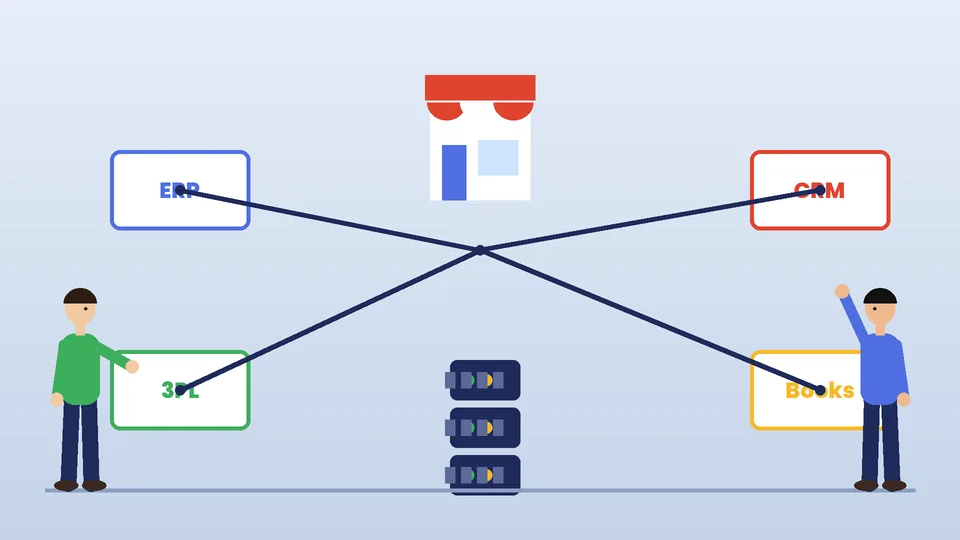
| Category | Typical systems | Data that usually moves |
|---|---|---|
| ERP / operations | NetSuite, Microsoft Dynamics, SAP Business One, Acumatica, and similar | Products, customers, orders, fulfillments, invoices |
| 3PL / WMS | Warehouse and fulfillment partners | Inventory levels, fulfillments, tracking, returns |
| Accounting | QuickBooks Online, Xero, and others | Orders, refunds, payouts, tax summaries |
| CRM / marketing | HubSpot, Klaviyo, Salesforce, and peers | Customers, events, segments, consent |
| Marketplaces | Amazon, eBay, Walmart, and channel tools | Listings, orders, inventory reservations |
| PIM / DAM | Product information and asset tools | Product attributes, images, translations |
| Support | Zendesk, Gorgias, and similar | Order context, tickets, refunds |
| Custom apps | Internal tools, B2B portals, unique pricing | Whatever your process needs via Shopify APIs |
You will not need every row on day one. Start with the systems that currently require spreadsheet bridges or daily CSV uploads.
App Store apps vs custom apps vs middleware
Shopify’s Help Center describes three practical paths:
- Public or custom apps from the Shopify App Store / partners. Fast to install, billed monthly, maintained by a vendor. Best when your process fits the app’s model.
- Custom apps you (or an agency) build against Shopify APIs for admin automation, data sync, or storefront extensions. Best when your ERP mapping, pricing rules, or B2B flows are unique.
- Middleware / iPaaS that connects Shopify to other SaaS tools with mapped workflows. Useful for lighter syncs; still needs an owner who understands the business rules.
Rules of thumb:
- If three competitors in your category use the same connector successfully, evaluate that app before you commission a custom build.
- If your ERP uses custom item attributes, multi-entity accounting, or unusual order types, budget for custom mapping even when a connector exists.
- Avoid stacking five apps that each sync inventory. One source of truth for stock beats overlapping writers.
API capacity matters at scale. Shopify’s pricing comparison notes higher API rate limits on Advanced and substantially higher limits on select APIs for Plus. Heavy ERP syncs often push brands toward Plus for headroom; see our Shopify Advanced vs Plus guide when limits become the constraint.
How to plan an integration project
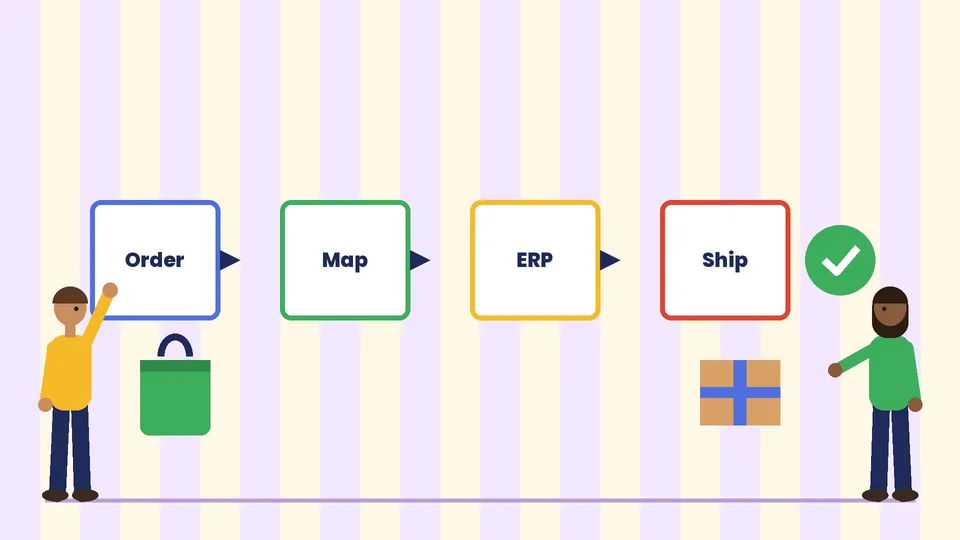
- Write the business outcomes. Example: “3PL inventory updates Shopify every 15 minutes” or “Shopify orders create sales orders in NetSuite within five minutes.”
- Name the system of record for each object. Products might live in a PIM; inventory in the WMS; customers in Shopify and CRM with a clear merge rule.
- Map fields and statuses. Draft which Shopify order statuses create which ERP documents, how partial fulfillments work, and what happens on cancel or refund.
- Choose build vs buy with a score for fit, cost, vendor stability, and who supports production incidents.
- Design idempotency and error queues. Retries should not duplicate ERP orders. Failed jobs need an alert a human will see.
- Test with real edge cases. Bundles, preorders, multi-currency, gift cards, partial refunds, and address corrections break naive mappings.
- Launch with monitoring. Dashboards for lag, failure rate, and unmatched SKUs beat “it worked in staging.”
- Document runbooks. Who restarts a job, who fixes a bad SKU map, and how to pause sync during a sale.
Timeline and cost vary widely. As a general industry planning range (not a quote or guarantee), a focused App Store connector rollout might take days to a few weeks of configuration and testing, while a custom ERP integration for a mid-market merchant often spans several weeks to a few months depending on ERP complexity, data cleanup, and how many historical orders you migrate. Budget conversations should separate one-time build, monthly app or middleware fees, and ongoing support.
Data objects that usually need careful design
Products and inventory
Decide whether Shopify, a PIM, or the ERP owns title, variants, barcodes, and landed cost. Inventory should have a single writer for available quantity whenever possible. Location-level inventory on Shopify must match how your 3PL reports bins and warehouses.
Orders and fulfillments
Map taxes, discounts, duties, and shipping lines so finance trusts the numbers. Multi-location fulfillment and split shipments need explicit rules. Returns and exchanges should update both Shopify and the warehouse without double restocks.
Customers and consent
Marketing syncs must respect SMS and email consent. Duplicate customer merges between Shopify and CRM are a common source of support pain; define matching keys (email, phone, external IDs) early.
Payments and accounting
Payouts, Shopify Payments settlements, and gateway fees rarely equal “order total.” Accounting integrations should reconcile payout deposits, not invent revenue from uncaptured authorizations.
Security and operations
Treat every integration as privileged access to order and customer data. Use least-privilege API scopes, rotate credentials, and keep audit logs. Prefer official Shopify app auth patterns over shared staff passwords. For a broader security checklist, see our ecommerce security guide. Ongoing health checks belong in your Shopify website maintenance cadence: failed webhooks, rising API 429s, and inventory drift deserve monthly review.
If you hire outside help for custom apps, evaluate Shopify experience the same way you would for theme or Plus work. Our notes on how to choose the best Shopify developers apply to integration partners as well.
Marketplace and channel integrations
Sales channels let Shopify push catalogs to social and marketplace destinations, but inventory reservation and order import still need clear rules. Decide whether marketplace orders land in Shopify as native orders or stay in a middleware order hub. Oversell risk rises when two channels sell the last unit without a shared reservation. Start with one marketplace, prove inventory sync under load, then expand.
International sellers should also plan how Markets, multi-currency prices, and landed cost tools interact with ERP tax codes. Channel growth without accounting alignment creates month-end cleanup that costs more than the connector subscription.
When to involve an agency vs your internal team
Your team can often install and configure a well-documented App Store connector. Bring in specialists when:
- ERP consultants and Shopify developers must share one mapping document.
- You need custom apps, Shopify Functions, or checkout-related extensions on Plus.
- Historical data migration is large or dirty.
- You want an architecture review before buying three overlapping apps.
For platform moves that include integrations, our Shopify migration services page outlines how replatforms and sync cutovers usually travel together. Strategic scoping questions also fit a short ecommerce consultant engagement before you commit build budget.
Staging, cutover, and who owns production
Treat every non-trivial integration like a small product release. Build against a development store or staging credentials where the ERP vendor allows it. Agree on a cutover window when order volume is low enough to monitor manually. For the first days after go-live, assign a named owner for Shopify admin, one for the ERP or 3PL, and one for the middleware or custom app logs.
Rollback plans matter. Know how to pause webhooks, freeze inventory writes, and process orders manually for a few hours if a mapping bug ships bad fulfillments. Write that playbook before Black Friday week, not during it. After cutover, schedule a two-week hypercare period with daily unmatched-SKU and failed-job reviews, then fold checks into normal maintenance.
Frequently asked questions
What are Shopify integration services?
Do I need custom development for every Shopify integration?
Which systems should I integrate with Shopify first?
How long does a Shopify ERP integration take?
Will integrations replace Shopify apps entirely?
How do I keep integrations from breaking during a sale?
Next steps
List every system that touches products, inventory, orders, or customers. Mark each as source of truth, subscriber, or both. Retire duplicate sync paths. Then decide which connections you can configure this quarter and which need a formal project.
Clean integrations make Shopify the storefront and order hub it is good at being, while ERP and warehouse tools keep doing back-office work. If you want help designing that split for a US Shopify or Shopify Plus store, PROSeCommerce can map the stack, choose build versus buy, and implement the connections with clear ownership.