
How do you set up an ecommerce business?
To set up an ecommerce business, validate a product and choose your business model, then handle the legal setup: pick a business structure, register your business and name, get an Employer Identification Number (EIN), and apply for any state tax IDs, licenses and permits. Next, open a business bank account, choose an ecommerce platform and payment provider, set up shipping, returns and store policies, and test everything before launch. Most of the paperwork happens at the state and local level, so the exact steps depend on where you’re based.
This checklist walks through each step in order, with links to the official U.S. Small Business Administration (SBA) and IRS guidance behind it. At PROSeCommerce, part of PROS Global in San Diego, we build and launch online stores for new and growing brands, and the same questions come up every time. Requirements were checked against official sources as of November 2026.
Before you start: validate the idea
Paperwork is the easy part. Before you register anything, make sure people will buy what you plan to sell at a price that leaves you a margin. Look at competitors, search demand and customer reviews of similar products, and work out your cost per order, including the product, packaging, shipping, payment fees, returns and marketing.
You also need to decide how you’ll sell. Will you hold your own inventory, dropship, print on demand, sell wholesale or run subscriptions? Our guide to choosing an ecommerce business model compares the options. If you’re new to the field, what ecommerce is and how it works covers the basics.
Step-by-step: setting up the business
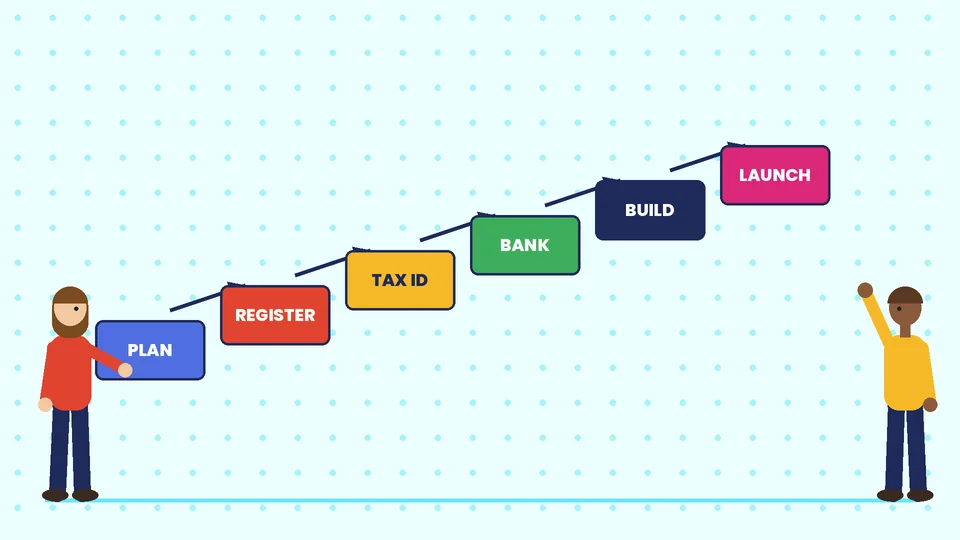
1. Write a simple business plan
A short plan forces you to put numbers on your idea: target customers, products, pricing, startup costs, monthly costs and how long until you break even. It doesn’t need to be long, but it should be honest. You’ll also need it if you apply for a loan.
2. Choose a business structure
Your structure affects your taxes, your personal liability and the paperwork you file. The SBA’s launch your business guide describes the common options:
| Structure | Owners | Personal liability | How profits are taxed |
|---|---|---|---|
| Sole proprietorship | One person | Unlimited personal liability | Personal income tax and self-employment tax |
| Partnership | Two or more people | Varies by type of partnership | Passed through to the partners |
| Limited liability company (LLC) | One or more members | Usually protects personal assets | Usually passed through to owners |
| Corporation (C corp) | Shareholders | Strongest protection | The company pays corporate income tax |
| S corporation | Limited shareholders | Similar to a corporation | Passed through, if eligible |
The SBA notes that you’re automatically a sole proprietorship if you do business without registering as anything else, and that converting later may bring restrictions or tax consequences. Many small online stores start as a sole proprietorship or an LLC, but rules vary by state, so speak to an accountant or attorney before you decide.
This is general information, not legal or tax advice.
3. Choose and register your business name
The SBA describes four separate ways to register a business name, and each does a different job:
- Entity name: registers your legal business name with your state.
- Doing business as (DBA): a trade name, which may be required if you trade under a name other than your own or your entity’s.
- Trademark: protects your brand name, goods and services at the federal level.
- Domain name: your website address. For an online store, check that the domain is available before you settle on a name.
Most businesses use the same name for all four, but they’re legally independent, so registering one doesn’t secure the others.
4. Register your business
How and where you register depends on your structure and location. Sole proprietors may only need a DBA, while LLCs and corporations register with the state where they’re formed. The SBA also notes that some states require initial reports or tax board registration, often within 30 to 90 days after you register.
5. Get your federal and state tax ID numbers
An Employer Identification Number (EIN) is your business’s federal tax ID. According to the IRS EIN page, you can apply online directly with the IRS for free, and if your application is approved the EIN is issued immediately. The IRS warns that you never have to pay a fee for an EIN, so avoid sites that charge for one. The online application isn’t available if your principal place of business is outside the U.S.
Whether you need a state tax ID depends on your state taxes. If you sell taxable goods, you’ll usually need to register with your state’s tax agency to collect sales tax, and you may have to register in other states once your sales there pass their thresholds. Check with each state’s tax agency or an accountant.
6. Apply for licenses and permits
Online businesses still need licenses. The SBA says most small businesses need a combination of licenses and permits from federal and state agencies, and that requirements and fees vary by business activity and location. Depending on what you sell and where, that may include a general business license, a seller’s permit, or a federal license if your activity is regulated by a federal agency. Zoning rules can apply even to home-based businesses, so check with your city planning office if you run the store from home.
This checklist is general information, not legal advice or tax advice. Requirements vary by state and city.
7. Open a business bank account and set up bookkeeping
Keep business money separate from personal money from day one. The SBA notes that an EIN, along with a DBA where needed, helps you open a business bank account. Pick bookkeeping software that connects to your store and payment provider so sales, fees, refunds and taxes are recorded automatically.
8. Get business insurance
Ask an insurance broker about general liability, product liability and cyber insurance. Product liability matters if you make, import or private-label products, even when a supplier makes them.
Step-by-step: setting up the store
9. Choose your ecommerce platform
Hosted platforms such as Shopify handle hosting, security updates and checkout for a monthly fee. Self-hosted options such as WooCommerce give you more control but more maintenance. Compare them in our guides to the best CMS for ecommerce and Shopify plans.
10. Set up payments
Choose a payment provider that supports the cards, wallets and buy-now-pay-later options your customers use, and check the fees per transaction. Our Shopify merchant account guide explains how Shopify Payments and third-party gateways work.
11. Plan shipping, returns and policies
Decide your carriers, packaging, shipping rates and delivery promises. Shipping promises carry legal weight. Under the FTC’s Mail, Internet, or Telephone Order Merchandise Rule (16 CFR Part 435), you need a reasonable basis to expect you can ship within the time you state, or within 30 days if you state no time. If you can’t, you must give the buyer the option to agree to the delay or cancel for a prompt refund.
Publish clear shipping, returns, refund, privacy and terms of service pages before launch.
12. Build your product pages
Write original product descriptions, add clear photos from several angles, list sizes, materials and care details, and show prices, shipping costs and return terms before checkout.
13. Secure the store
Use strong, unique passwords and two-step verification for every admin account, give staff only the access they need, and keep apps and themes up to date. Our ecommerce security guide covers PCI DSS and the most common threats.
14. Test, then launch
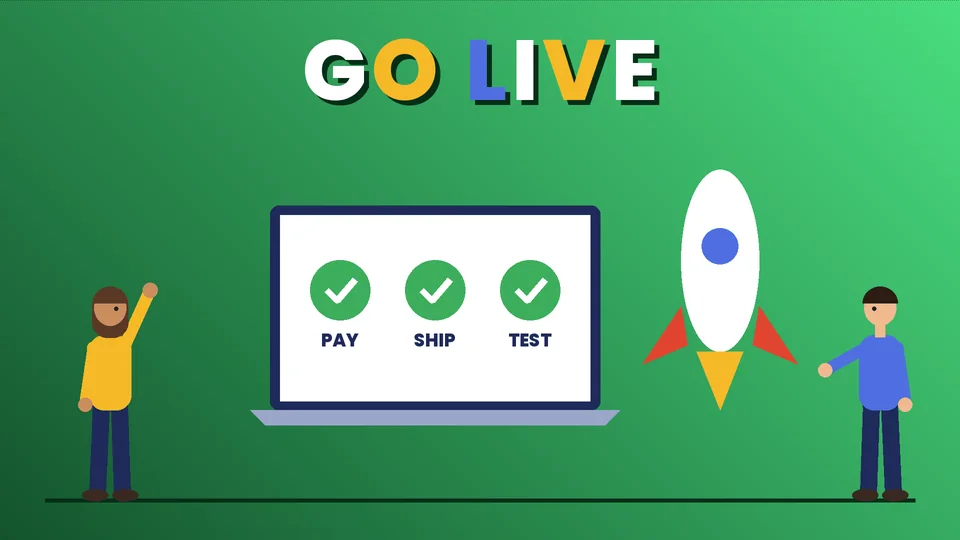
Place test orders with every payment method, check tax and shipping calculations for several addresses, send yourself every order email, and test the store on phones. Then launch to a small audience first, such as friends, an email list or a small ad budget, and fix what you learn before you spend more.
Launch checklist at a glance
| Area | Done when |
|---|---|
| Business structure and registration | Entity or DBA registered with the state or county |
| Federal tax ID | EIN issued by the IRS |
| State taxes | Registered with your state tax agency, if required |
| Licenses and permits | Local, state and federal requirements checked |
| Banking | Business account open, bookkeeping connected |
| Platform and payments | Store live in test mode, payments approved |
| Policies | Shipping, returns, privacy and terms pages published |
| Testing | Test orders, emails, taxes and mobile checkout verified |
Common mistakes when setting up an online store
- Skipping the margin math. Fees, shipping and returns often turn a profitable-looking product into a loss.
- Mixing personal and business money, which makes taxes and bookkeeping harder.
- Paying for an EIN. It’s free from the IRS.
- Ignoring sales tax until you’ve already sold into several states.
- Promising delivery dates you can’t meet.
- Launching without test orders.
Frequently asked questions
Do I need a business license to sell online?
Do I need an LLC to start an ecommerce business?
How much does it cost to get an EIN?
Do I need to collect sales tax on online sales?
How long does it take to set up an ecommerce business?
What is the first step to starting an ecommerce business?
Start with the basics done right
A well-set-up ecommerce business is easier to grow: the right structure, clean books, the correct tax registrations and a tested store. Work through the checklist in order and keep records of every registration and permit. If you want help choosing a platform or launching your store, contact PROSeCommerce.