
What ecommerce security means for a store owner
Ecommerce security is the set of controls that keep an online store’s accounts, payments, customer data, and code out of the wrong hands. For a store owner, it comes down to four jobs: stop attackers from logging in as you or your staff, keep card data away from systems that shouldn’t touch it, catch fraudulent orders before you ship them, and notice quickly when something on the site changes without your permission.
Most of the damage in ecommerce doesn’t come from sophisticated attacks. It comes from a reused password on an admin account, an app nobody remembers installing, a tracking script that was quietly altered, or a fraudulent order that shipped on a Friday night. This guide covers the practical controls, based on Shopify’s Help Center, the PCI Security Standards Council, OWASP, CISA, and Google Search Central as of October 2026, and on the security reviews PROSeCommerce, part of PROS Global in San Diego, runs when it audits or migrates Shopify, Magento, and WooCommerce stores.
Who secures what: platform versus merchant
Security responsibilities depend on how your store is hosted. On a hosted platform such as Shopify, the provider runs the servers, the checkout, and the payment infrastructure. On a self-hosted platform such as Magento Open Source or WooCommerce, you or your host take on much more of that work.
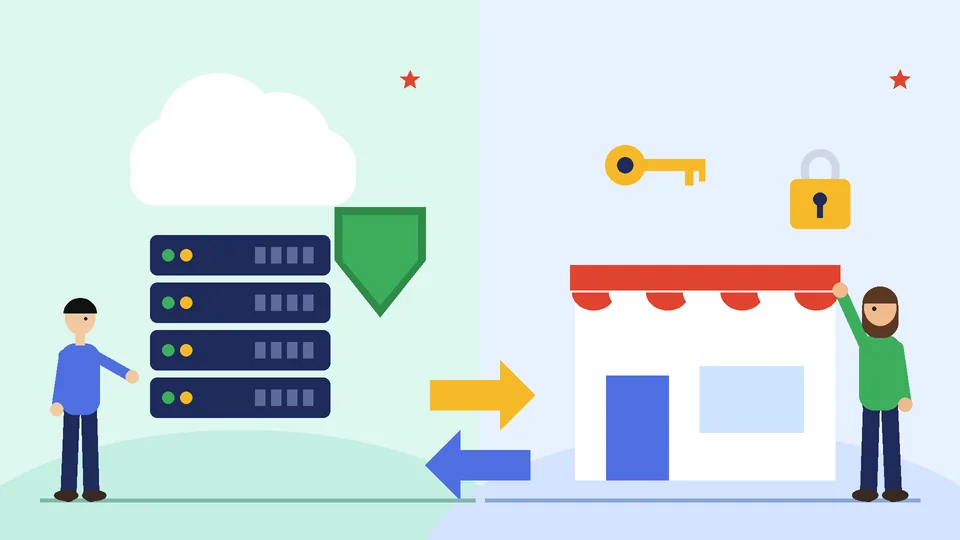
| Area | Hosted platform (for example Shopify) | Self-hosted (for example Magento or WooCommerce) |
|---|---|---|
| Servers, hosting, and patching | Platform | You or your host |
| Checkout and card processing | Platform, PCI DSS certified | Shared with your payment provider |
| TLS certificate | Included | You or your host |
| Admin and staff accounts | You | You |
| Apps, plugins, and extensions | You choose and review | You choose, review, and update |
| Theme and custom code | You | You |
| Fraud review and chargebacks | You, with platform tools | You, with gateway tools |
| Customer data you export or store elsewhere | You | You |
Shopify’s pricing page says, as of October 2026, that Shopify is certified Level 1 PCI DSS compliant, stores are PCI compliant by default, and a free TLS certificate is provided for domains you add. That removes a large share of the work, but the bottom half of the table stays with you on any platform. Our guide on whether Shopify is right for your business covers the wider trade-offs of hosted commerce.
The threats online stores face most often
These are the patterns that come up most in store security reviews. None of them requires an advanced attacker:
- Account takeover. Phishing, reused passwords, or stolen sessions give someone admin access, where they can change payout details, export customers, or edit code.
- Payment fraud and card testing. Stolen cards are used to buy goods, or bots run many small transactions to check which cards work.
- E-skimming. Malicious or altered JavaScript on checkout or payment pages copies card details as shoppers type.
- Vulnerable plugins and extensions. Unpatched or abandoned add-ons on self-hosted stores give attackers a way in.
- Over-permissioned apps and integrations. Apps with broad access to orders and customers widen the impact of any compromise.
- Social engineering. Fake support calls, invoices, or “account suspended” emails aimed at staff.
OWASP’s Top 10 for 2025, the current edition as of October 2026, lists Broken Access Control first, followed by Security Misconfiguration and Software Supply Chain Failures. That order matches what store owners see: weak access controls, settings left at defaults, and third-party code you didn’t write.
Lock down admin and staff accounts
Account security is the control with the biggest payoff for the least effort. Shopify’s account security guidance says the store owner shouldn’t share login credentials with anyone, including staff, and every person should have their own account with specific permissions. It also requires two-step authentication on accounts that use Shopify Payments, and warns that payouts might be put on hold without it.
Put these rules in place on any platform:
- Turn on multifactor authentication for every admin and staff account. CISA’s MFA guidance ranks security keys first, then authenticator apps with number matching, then one-time codes from an app. Text or email codes are the weakest option. Shopify also supports passkeys.
- Give each person their own login. Shared logins make it impossible to see who changed what or to remove one person’s access.
- Use the least access needed. Shopify’s user management lets you assign roles and permissions, including collaborator accounts for agencies and developers.
- Offboard the same day. Remove staff, freelancers, and agency collaborators as soon as the work ends.
- Protect the email behind the admin. Whoever controls the owner’s email inbox can reset everything else, so it needs MFA too.
Shopify also warns that its Support team only asks for sensitive documents through a secure upload page on a shopify.com address. Share that rule with your team, because fake support contact is a common phishing route.
Payment security and PCI DSS
PCI DSS is the card industry’s security standard for any business that stores, processes, or transmits card data. The current version is PCI DSS v4.0.1. Hosted checkouts reduce your scope a great deal, but they don’t remove it.
Shopify’s compliance reports page explains where to find its PCI Attestation of Compliance, reissued after each annual assessment, along with quarterly scan attestations and SOC reports. Keep a copy of the current attestation for your acquirer or auditor.
Payment page scripts and e-skimming
The biggest change in recent years concerns scripts on payment pages. The PCI Security Standards Council’s January 2025 update on SAQ A confirms that PCI DSS v4.0.1 Requirements 6.4.3 and 11.6.1 took effect on 31 March 2025. They require payment page scripts to be authorized and checked for integrity, and changes to those pages to be detected. Merchants validating with SAQ A now confirm that their site is not susceptible to attacks from scripts that could affect their ecommerce systems.
In practice: keep an inventory of every script on pages that lead to or include payment, remove anything you can’t explain, and on self-hosted stores, monitor those pages for unexpected changes. If you use an embedded payment form, ask your payment provider how its solution protects your page.
Apps, scripts, and third-party code
Every app, plugin, pixel, and chat widget you add is code from someone else running on your store. Treat that list like a supplier list:
- Review apps every quarter. Uninstall anything unused, and check what data each remaining app can access.
- Prefer reputable sources. Use the official app and theme stores or developers you have vetted. Our guide to choosing Shopify developers covers what to ask.
- Control who can edit code. Limit theme and code editing to the people who need it, and keep a backup of the live theme before changes.
- Watch tag managers. A tag manager lets marketing add scripts without a developer, which also means without a security review.
- Patch self-hosted platforms promptly. On Magento and WooCommerce, core, extension, and plugin updates are your responsibility. Our Shopify Plus vs Magento comparison and WooCommerce vs Shopify guide explain how that maintenance load differs by platform.
Fraud prevention, card testing, and chargebacks
Fraudulent orders cost you the product, the shipping, and a chargeback fee. Shopify’s fraud analysis flags risky orders using indicators such as address verification (AVS) and CVV checks, mismatched locations, unusual device or network activity, and repeated card attempts. Shopify notes that fraud recommendations are available on Grow and higher or with Shopify Payments, and that Shopify Payments can block some high-risk checkout attempts before an order is created.

Build a simple review routine:
- Hold high-risk orders. Don’t fulfill medium- or high-risk orders until you have verified them. Manual payment capture gives you time to investigate.
- Automate the checks. Shopify Flow can tag, hold, or cancel orders based on risk level.
- Watch for card testing. Bursts of small orders or failed payments from similar details usually mean someone is testing stolen cards.
- Keep evidence. Tracking numbers, delivery confirmation, and customer messages help you respond to disputes.
Shopify’s chargebacks guide is clear that Shopify isn’t liable for chargebacks and isn’t involved in deciding them, and that a chargeback amount is deducted from your next payout when you use Shopify Payments. Our Shopify merchant account guide explains how payouts and fees work alongside disputes.
Protecting customer data
The safest customer data is data you never collected. Ask only for what you need to fulfill and support orders, and think carefully before exporting customer lists into spreadsheets, shared drives, or new tools.
Shopify’s account security page also warns against uploading confidential or personal documents to the store’s Files section, because those files are intended for public storefront use. The same principle applies everywhere: private data belongs in systems with access controls, not public folders, email attachments, or chat threads. Keep your privacy policy accurate about what you collect and which apps receive it.
Email domain security and phishing
Your email domain is part of your store’s security. Without authentication, criminals can send messages that appear to come from your domain, targeting both customers and staff. Google’s email sender guidelines require SPF or DKIM for everyone sending to Gmail, and SPF, DKIM, and DMARC for anyone sending more than 5,000 messages a day. Google recommends setting up all three regardless of volume.
Turn on DMARC reporting so you can see who sends mail using your domain. Train staff to verify payout changes, password resets, and urgent invoice requests through a second channel before acting.
Monitoring and incident response
Assume something will go wrong eventually, and decide in advance what you will do. A short written plan should name who to call, how to lock accounts, and how to contact your platform, payment provider, and customers.
Google Search Console’s Security issues report shows when Google has found hacked content, malware, or social engineering on a site. Affected pages can show warnings in search results or the browser. Google’s guidance is to fix the issue on every affected page, then request a review describing the fixes. Google’s broader page on preventing and monitoring abuse links its malware and social engineering guidance.
Check that report monthly, and also watch for new admin users you didn’t create, payout detail changes, unexpected app installs, and theme edits nobody can explain.
Ecommerce security checklist
Use this list for a quarterly review:
- Accounts. MFA on every admin, staff, and collaborator account, plus the owner’s email inbox.
- Access. One login per person, least-privilege roles, and same-day offboarding.
- Apps and scripts. Unused apps removed, data access reviewed, and an inventory of payment page scripts.
- Platform updates. On self-hosted stores, core and extension patches applied and backups tested.
- Payments. Current PCI attestation from your provider on file, and SAQ eligibility confirmed with your acquirer.
- Fraud. Risk review before fulfillment, Flow or rules for high-risk orders, and chargeback evidence kept.
- Data. Customer exports minimized and stored with access controls, and the privacy policy up to date.
- Email. SPF, DKIM, and DMARC set up, with DMARC reports monitored.
- Monitoring. Search Console security report checked, and alerts for new admins and payout changes.
- Response plan. A written incident plan with contacts, tested at least once a year.
Frequently asked questions about ecommerce security
Is Shopify secure for ecommerce?
Do I need to be PCI compliant if I use Shopify?
What is e-skimming?
What is the most important security step for a small online store?
How do I spot card testing on my store?
What should I do if my store is hacked?
Make security part of routine store operations
Ecommerce security is mostly routine: strong logins, careful access, fewer and better-reviewed apps, a fraud check before shipping, and a monthly look for anything that changed unexpectedly. Hosted platforms take much of the infrastructure work off your plate, but the merchant side of the list stays yours on every platform.
If you want a second pair of eyes on your store’s access, apps, and payment setup, or you are moving a self-hosted store to Shopify, PROSeCommerce can help. Start with our Shopify development services.