

Why should you be careful with your SEO?
You should be careful with your SEO because some shortcuts break Google’s spam policies. Tactics like keyword stuffing, buying links, hidden text, doorway pages and mass-produced content can push a site lower in Google’s results or remove it altogether. Google catches most spam with automated systems, and human reviewers can also apply a manual action. Either way, rebuilding lost visibility can take weeks or months. Careful SEO means improving your site for the people who search, not trying to trick the search engine.
This guide explains what Google counts as spam, which practices put an online store most at risk, how manual actions and reconsideration requests work, and a safe checklist you can follow. At PROSeCommerce, part of PROS Global in San Diego, we audit stores for these risks before we start any SEO work. Everything here is based on Google Search Central and Search Console Help documentation, read as of October 2026.
What Google means by spam
Google’s spam policies for Google web search define spam as techniques used to deceive users or manipulate Google’s Search systems into featuring content prominently. That includes trying to rank content higher than it deserves and trying to manipulate generative AI responses in Google Search.
Three points from that page matter most for store owners:
- Content has to follow the policies to be eligible. To appear in Google web search results, pages, images and videos must not break Google Search’s overall policies or its spam policies.
- Detection is automatic and manual. Google detects violations with automated systems and, where needed, human review that can lead to a manual action.
- The penalty is lost visibility. Google says sites that violate its policies may rank lower or not appear in results at all.
Google also states that its policies cover common spam practices but that it may act against any type of spam it detects. A tactic is not safe just because it isn’t on the list.
The spam practices that put ecommerce sites at risk
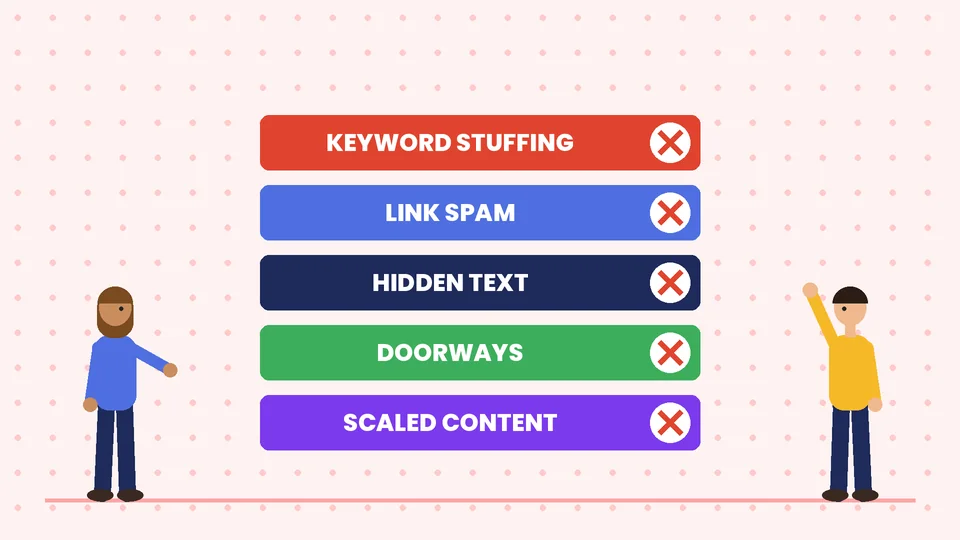
Google’s policy page lists many practices. These are the ones we see most often on online stores, usually added by a past agency, a plugin or an attempt to rank fast.
| Practice | What it looks like on a store | Safer alternative |
|---|---|---|
| Keyword stuffing | Product pages repeating the same phrase or blocks of city names | Write for the shopper; use the phrase naturally once or twice |
| Link spam | Paying for links, link swaps, or “free product for a link” deals without qualifying the link | Earn links with useful content; mark paid links with rel=”sponsored” |
| Hidden text and links | White text on white, text hidden off-screen or behind images | Show everything you want ranked to visitors too |
| Doorway abuse | Dozens of near-identical “best widgets in” pages for every city that funnel to one page | One strong page per real location or category |
| Scaled content abuse | Many pages generated mainly to rank, with little value | Fewer, better pages that answer real questions |
| Scraping | Copying manufacturer or competitor descriptions without adding anything | Original descriptions, specs, photos and reviews |
| Thin affiliation | Affiliate pages copied from the merchant with no added value | Add testing, comparisons and your own insight |
| Cloaking and sneaky redirects | Showing search engines different content than shoppers | Serve the same content to everyone |
Google draws a clear line on design patterns. Accordions, tabs, sliders, tooltips and text meant for screen readers do not break the hidden text policy. That’s why collapsible FAQs and tabbed product details are fine on a store.
Keyword stuffing
Google defines keyword stuffing as filling a page with keywords or numbers to manipulate rankings. Its examples include lists of phone numbers without real value, blocks of text listing cities and regions a page is trying to rank for, and repeating the same words so often that the text sounds unnatural. If a sentence on your product page only makes sense to a search engine, rewrite it.
Link spam
Link spam means creating links to or from a site mainly to manipulate rankings. Google’s examples include:
- buying or selling links for ranking purposes, including exchanging goods or services for links;
- excessive link exchanges;
- automated link building;
- advertorials or guest posts with links that pass ranking credit.
Google’s guidance on qualifying outbound links explains how to mark them. Use rel=”sponsored” for paid or sponsored links and rel=”ugc” for user-generated content such as reviews and comments. You can use rel=”nofollow” when no other value fits.
Scaled content abuse and AI content
Scaled content abuse is when many pages are generated mainly to manipulate rankings rather than help users, whatever tool creates them. Google’s guidance on using generative AI content makes the same point from the other side. AI can be useful for research and drafting. But using it to produce many pages without adding value for users may break the scaled content abuse policy. If your team uses AI to draft product copy or blog posts, have a person check every page for accuracy and real usefulness before it goes live.
Hacked content
Not every risk comes from your own choices. Google’s policy covers hacked content: code injection, injected spam pages, hidden links and malicious redirects added through security holes. Hackers often use cloaking so the owner doesn’t notice. Strong ecommerce security — updates, strong admin passwords, two-factor login and trusted plugins — protects your rankings as well as your customers.
Site reputation abuse and expired domains
Google’s site reputation policy covers third-party content published on a host site mainly to exploit the host’s ranking signals. Its expired domain abuse policy covers buying an expired domain and reusing it mainly to rank low-value content. If someone offers to “rent” a section of your store’s domain for coupon or casino content, say no.
Automated demotion vs. manual actions
There are two ways a site can lose visibility for spam, and they work differently.
Automated systems. Google says it detects violations with automated systems, and its ranking systems guide lists the systems it uses to rank results. Google doesn’t send a notice when its automated systems demote a page. You usually notice it as a drop in Search Console data.
Manual actions. According to the Manual actions report help page, Google issues a manual action when a human reviewer finds that pages on a site don’t comply with its spam policies. When a site has a manual action, some or all of it won’t be shown in Google search results. Google notifies you in the Manual actions report and in the Search Console message center. The report shows whether the action affects the whole site or only pages that match certain patterns.
Google also covers sites that change hands: if you bought a site that broke the rules before you owned it, fix the issues and say in your reconsideration request that you recently acquired the site.
How to recover from a manual action
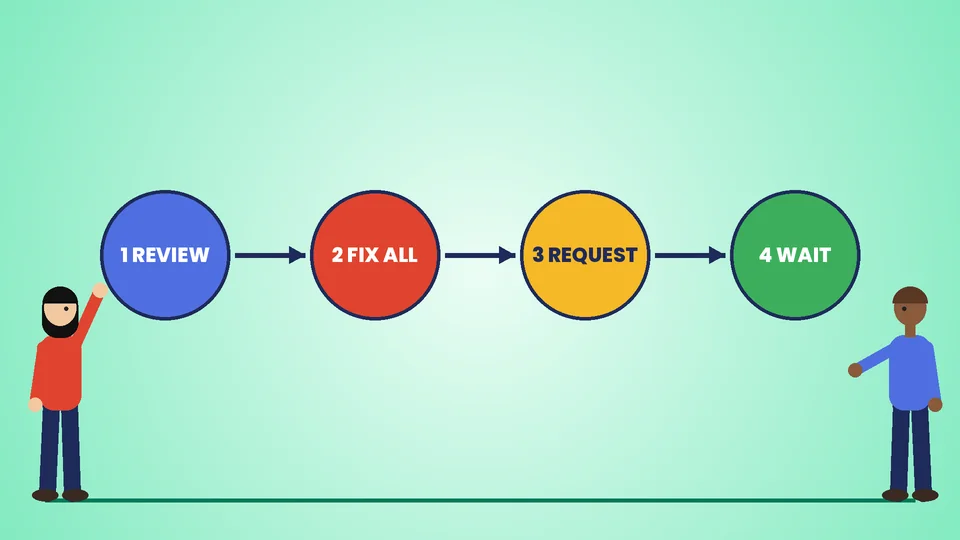
Google’s help page describes the recovery process. In short:
- Open the Manual actions report in Search Console and expand each action to read the description and the affected page patterns.
- Fix the issue on every affected page. Google says fixing only some pages will not earn a partial return to search results. If there are several manual actions, fix all of them.
- Request a review. When everything is fixed, select Request Review in the report. A good request explains the exact problem, describes the steps you took to fix it and documents the outcome.
- Wait for the decision. Google says most reconsideration reviews take several days or weeks, and link-related requests can take longer. You’ll get an email confirming the review is in progress. Don’t resubmit before you receive a final decision.
For link problems, remove or qualify the unnatural links you control and keep a record of what you asked other sites to remove. Your request is stronger when you can show what you did.
Signs your SEO may already be risky
You don’t need a penalty to start checking. Look for these warning signs:
- A past provider promised a set number of backlinks per month or guaranteed first-page rankings.
- Product or category pages repeat the same keyword in every sentence or end with lists of cities.
- You have many near-identical location or “best of” pages that link to one sales page.
- Product descriptions are copied word for word from suppliers.
- Search Console shows a sudden, lasting drop in clicks that doesn’t match a seasonal pattern or a known site change.
- The Security issues or Manual actions report in Search Console isn’t clean.
- Unknown pages appear in a site: search, or your sitemap includes pages you didn’t create.
If any of these apply, review the top SEO tips for ecommerce websites and fix the basics before you build anything new.
A careful SEO checklist for online stores
Careful SEO isn’t slow SEO. It focuses on things that keep working through algorithm changes. Google’s SEO Starter Guide and its guidance on creating helpful, reliable, people-first content point the same way.
- Write for shoppers first. Each product and category page should answer what a buyer needs to know: specs, sizing, shipping, returns and use cases.
- Use descriptive titles and headings. Name the product and its main attribute plainly. Google’s title link guidance warns against keyword-stuffed titles.
- Earn links instead of buying them. Publish buying guides, original data you actually have, or useful tools. Qualify any sponsored links.
- Link your own pages sensibly. A clear internal linking strategy helps shoppers and crawlers find important pages without tricks.
- Keep AI in a supporting role. Use it to draft and research, then edit, fact-check and add your own expertise.
- Secure the site. Keep the platform, theme and apps updated, and remove plugins you don’t use.
- Monitor Search Console monthly. Check Performance, Pages, Manual actions and Security issues.
- Vet any SEO provider. Ask exactly how they build links and what they’ll change on your site. Avoid anyone who won’t explain their methods.
For Shopify stores, our Shopify SEO checklist turns these principles into platform-specific steps.
Careful SEO vs. risky shortcuts
| Goal | Risky shortcut | Careful approach |
|---|---|---|
| Rank for more keywords | Hundreds of thin, auto-generated pages | Consolidate into strong, useful category and guide pages |
| Get backlinks | Buy links or join link schemes | Create content worth citing; build real partnerships |
| Rank in more cities | Doorway pages per city | Real location pages only where you serve customers |
| Publish faster | Unedited AI output at scale | AI-assisted drafts with human editing and fact-checks |
| Improve product pages | Copy supplier descriptions | Original copy, photos, Q&A and reviews |
If you’re still learning the fundamentals, start with what SEO is all about and then use proven ways to get more website traffic that don’t depend on loopholes.
Frequently asked questions
What are Google’s spam policies?
What is a manual action in Google Search?
How long does a reconsideration request take?
Is AI-generated content against Google’s guidelines?
Are collapsible FAQs and tabs considered hidden text?
Can I pay for links to my online store?
Build SEO that lasts
Shortcuts that manipulate Google can work briefly, then cost you far more when automated systems or a reviewer catch them. Careful SEO protects your store: useful pages, honest links, clean code, a secure site and regular Search Console checks. If you want a second opinion on your store’s SEO or help cleaning up past tactics, contact PROSeCommerce.