
What is Amazon Web Services?
Amazon Web Services (AWS) is Amazon’s cloud computing platform. Instead of buying and running your own servers, you rent computing power, storage, databases, networking and many other services over the internet and pay for what you use. AWS describes itself as the world’s most comprehensive and broadly adopted cloud, and businesses of every size use it to host websites, store files, run apps and process data.
For an online store, AWS is one option for where your site, images, product data and back-office tools live. This guide explains how AWS works, the services an ecommerce business is most likely to use, how pricing and the Free Tier work, who is responsible for security and when AWS is (and is not) the right choice. At PROSeCommerce, part of PROS Global in San Diego, we help merchants decide between hosted platforms and cloud setups like this one.
How AWS works in plain terms
Cloud computing means renting IT resources on demand instead of owning them. AWS’s own explanation of cloud computing frames it as on-demand delivery of IT resources over the internet with pay-as-you-go pricing. In practice, that looks like this:
- You create an AWS account and sign in to the AWS Management Console, a web dashboard.
- You pick a Region, which is a geographic area where AWS runs data centers. Choosing a Region close to your customers usually means faster load times.
- You launch the services you need, such as a virtual server, a storage bucket or a database.
- AWS meters your usage (hours of compute, gigabytes stored, data transferred out) and bills you monthly.
- You scale up or down as traffic changes, without buying hardware.
Older descriptions of AWS sometimes say it runs on a single operating system or that it is mainly “private cloud.” That is not accurate. AWS is a public cloud provider that offers many operating systems and hundreds of services; you choose what to run on it.
Regions and Availability Zones
AWS groups its infrastructure into Regions, and each Region contains multiple isolated data center groups called Availability Zones. As of October 2026, AWS’s global infrastructure page lists 124 Availability Zones within 39 geographic Regions, with more announced. Running an application across two or more Availability Zones lets it keep working if one zone has a problem, which matters for a store that cannot afford downtime during a sale.
AWS services an ecommerce business is most likely to use
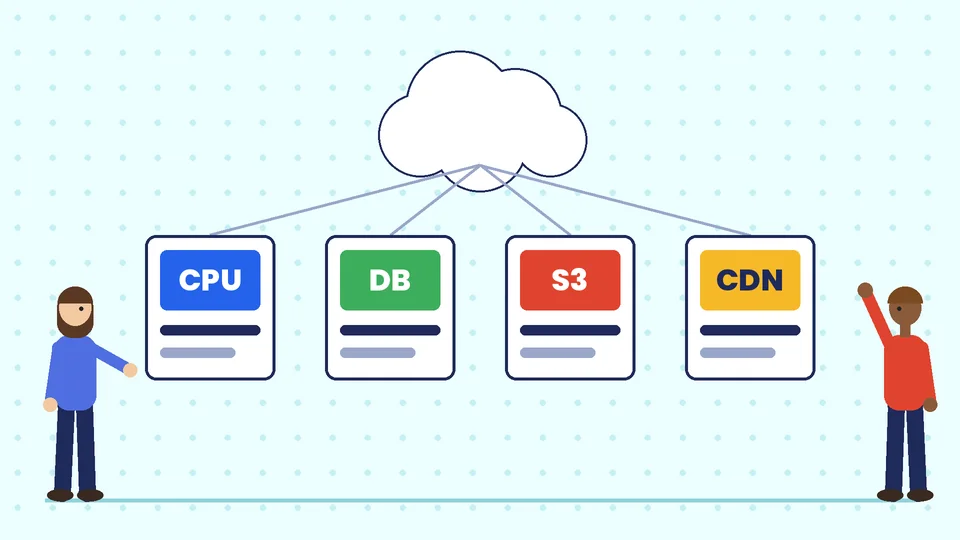
AWS offers far more services than any one store needs. These are the building blocks that come up most often for online businesses.
| Need | AWS service | What it does |
|---|---|---|
| Simple website or app hosting | Amazon Lightsail | Virtual servers, databases and storage sold as fixed monthly bundles |
| Flexible servers | Amazon EC2 | Virtual machines you size and configure yourself |
| File and image storage | Amazon S3 | Object storage for product images, backups and downloads |
| Faster delivery | Amazon CloudFront | Content delivery network that caches files near shoppers |
| Databases | Amazon RDS | Managed relational databases such as MySQL and PostgreSQL |
| Domains and DNS | Amazon Route 53 | Domain registration and DNS routing |
| Email sending | Amazon SES | Sends transactional and marketing email |
| Code without servers | AWS Lambda | Runs code in response to events, billed per request and run time |
Lightsail vs. EC2
Lightsail is the simpler entry point. You pick a plan with a set amount of memory, storage and data transfer, and you pay a predictable monthly price; current tiers are listed on the Lightsail pricing page. It suits a small WordPress or WooCommerce site, a staging environment or a landing page.
EC2 gives you full control over instance types, networking and scaling, but you need more technical skill to set it up and keep costs in check. Most growing stores that move to EC2 do so with a developer or managed service provider.
Storage and delivery
Product photos, videos and downloadable files are a natural fit for S3, with CloudFront in front to serve them quickly to shoppers in different locations. Many platforms, including hosted ones, already use a content delivery network behind the scenes. If you run your own site, setting up S3 and CloudFront is one of the more effective ways to improve page speed. Our guide to speeding up a Shopify store covers the store-side fixes that matter alongside hosting.
How AWS pricing works
AWS uses a pay-as-you-go pricing model for most services: you pay only for the services you use, for as long as you use them, without long-term contracts. Your bill depends on three main things:
- Compute: how many server hours or function runs you use and how large the servers are.
- Storage: how much data you keep and in which storage class.
- Data transfer: data going out to the internet is usually billed, while most data coming in is not.
AWS also offers ways to lower costs if your usage is steady:
- Savings Plans: a commitment to a set amount of spend per hour for one or three years in exchange for lower rates on compute and machine learning services.
- Reserved capacity for some services, such as databases.
- Flat-rate bundles such as Lightsail plans, which combine resources into one monthly price.
The main risk for small businesses is surprise bills from services left running or unexpected data transfer. Set a budget and billing alerts in the AWS console from day one, and tag resources by project so you can see what each one costs.
The AWS Free Tier
AWS changed its Free Tier for new customers. As of October 2026, the AWS Free Tier page says new accounts get $100 in credits when they sign up and can earn up to $100 more by exploring key services, for up to $200 in credits. On the Free plan, you can use more than 90 services for up to six months with no charges, and the account closes automatically at the end of that period unless you upgrade. On the Paid plan, you get access to all services with pay-as-you-go pricing, and new customers are also eligible for the credits. More than 30 services stay free within monthly limits on both plans.
The Free Tier is good for testing and learning. It is not a long-term hosting plan for a live store, so budget for paid usage before you launch.
Who is responsible for security on AWS?
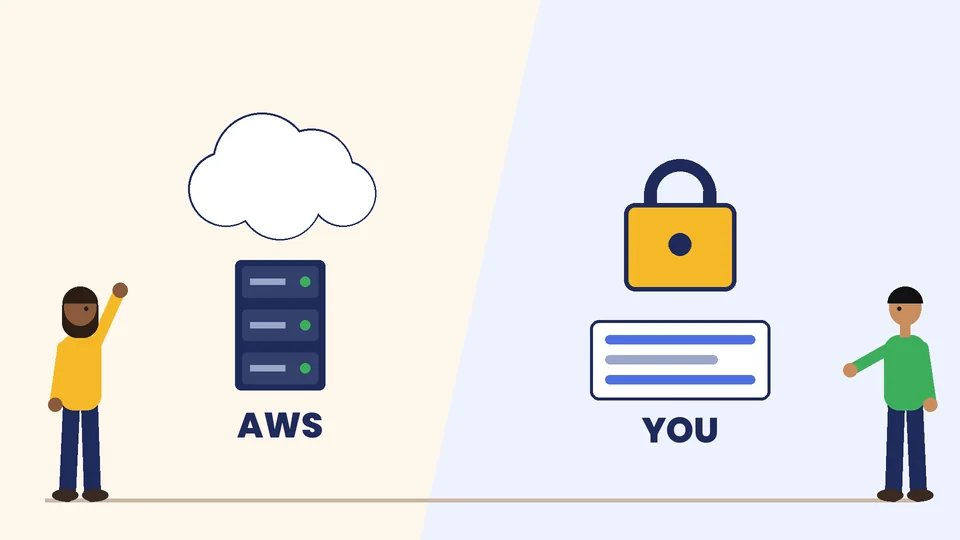
AWS uses a shared responsibility model:
- AWS handles “security of the cloud”: the hardware, software, networking and facilities that run AWS services.
- You handle “security in the cloud”: how you configure the services you choose. On a virtual server, that includes updating the operating system and applications, setting firewall rules, managing user access and protecting your data.
How much falls on you depends on the service. A managed service such as RDS takes care of more maintenance than a raw EC2 server, but you still control who can access the data.
For a store, the practical checklist is:
- Turn on multi-factor authentication for the root account and every user.
- Give each person and app only the permissions they need.
- Keep operating systems, platforms and plugins updated.
- Keep storage buckets private unless they must be public, and serve public files through a CDN.
- Turn on backups and test that you can restore them.
- Use HTTPS everywhere.
If you process card payments, your payment provider and setup also affect your PCI DSS obligations. Our guide to ecommerce security explains the store-level basics.
Is AWS a good fit for your online store?
AWS is powerful, but it is not automatically the best choice for every merchant. Here is a simple way to decide.
| Situation | Better fit |
|---|---|
| You want to sell quickly without managing servers | A hosted platform such as Shopify |
| You run WordPress or WooCommerce and want predictable costs | Managed WordPress hosting or Lightsail |
| You have a custom app, high traffic or special data needs | AWS (EC2, RDS, S3, CloudFront) with a developer |
| You need file storage, backups or email sending alongside any platform | Individual AWS services such as S3 or SES |
AWS makes sense when you have a developer or partner who can manage it, you need custom features a hosted platform cannot provide, or your traffic is large or spiky enough that flexible scaling saves money.
A hosted platform makes more sense when you want the platform provider to handle hosting, security patches and checkout so you can focus on products and marketing.
Many businesses mix the two: a hosted storefront for selling, with AWS services handling backups, data processing or a custom app. For a wider comparison of providers, see our overview of the best cloud computing platforms and our guide to ecommerce web hosts.
How to get started with AWS for an ecommerce site
- Define the job. Write down exactly what AWS will do: host the full store, store images, send email or run a custom tool.
- Create the account carefully. Use a shared business email, turn on multi-factor authentication and create separate users instead of using the root account day to day.
- Set a budget alert before launching anything.
- Pick a Region close to most of your customers.
- Start simple. For a small site, a Lightsail plan or a managed service is easier than building on EC2 from scratch.
- Set up backups and monitoring from the start.
- Review the bill monthly and shut down anything you no longer need.
- Document the setup so another developer can take over if needed.
If you run your own servers, plan for ongoing upkeep, including updates, monitoring and security reviews. Our website maintenance guide lists the routine tasks that keep a store healthy.
Frequently asked questions
What do online businesses use AWS for?
Is Amazon Web Services the same as Amazon.com?
How much does AWS cost for a small business?
Is there a free version of AWS?
Is AWS secure enough for an online store?
Should I host my Shopify store on AWS?
Choosing the right cloud setup
Amazon Web Services gives online businesses on-demand computing, storage and delivery with pay-as-you-go pricing, a global network of Regions and a free way to experiment. It also asks more of you in setup, security and cost control than a hosted platform does. Start with a clear job for AWS, keep the setup simple and watch the bill. If you want help deciding between a hosted store and a cloud setup, contact PROSeCommerce.