
Which cloud computing platform is best for a business?
There is no single best cloud computing platform for every business. Amazon Web Services (AWS), Microsoft Azure and Google Cloud are the three general-purpose platforms most companies compare first, with IBM Cloud and Oracle Cloud Infrastructure as common alternatives. The right choice depends on the tools your team already uses, the service model you need (infrastructure, platform or software), where your data has to live, and how much of the security and maintenance work you are ready to own. For most online stores, a hosted platform such as Shopify removes the need to run servers at all.
This guide explains what a cloud computing platform is, how the service models differ, how the main providers compare, what you stay responsible for, and how to estimate costs before you commit. At PROSeCommerce, part of PROS Global in San Diego, we help ecommerce teams choose between hosted platforms and self-managed cloud setups, and this is the checklist we use. Definitions come from the US National Institute of Standards and Technology (NIST), and provider details come from each provider’s own documentation, checked as of October 2026.
What is a cloud computing platform?
NIST Special Publication 800-145 defines cloud computing as a model for on-demand network access to a shared pool of configurable computing resources, such as networks, servers, storage, applications and services, that can be provisioned and released quickly with minimal management effort. A cloud computing platform is the set of services a provider offers on top of that model, from raw virtual servers to fully managed databases and business apps.
NIST lists five essential characteristics:
- On-demand self-service: you can add servers or storage yourself, without asking the provider.
- Broad network access: services are reachable over the network from standard devices.
- Resource pooling: the provider serves many customers from shared hardware.
- Rapid elasticity: capacity can grow or shrink quickly, sometimes automatically.
- Measured service: usage is metered, which is why most cloud bills are pay-as-you-go.
If a hosting offer does not let you scale on demand or pay for what you use, it is closer to traditional hosting than to cloud computing, even if it is sold as “cloud.”
IaaS, PaaS and SaaS: the three service models
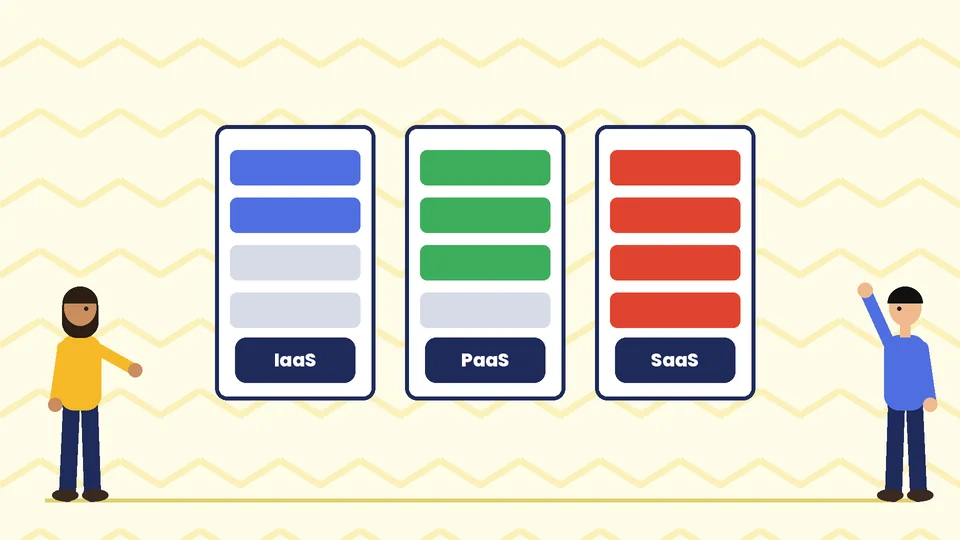
NIST describes three service models. The difference between them is how much of the stack the provider runs and how much you run.
| Model | What the provider runs | What you run | Examples |
|---|---|---|---|
| Infrastructure as a Service (IaaS) | Data centers, physical servers, networking, virtualization | Operating system, patches, runtime, application, data, access rules | Amazon EC2, Azure Virtual Machines, Google Compute Engine |
| Platform as a Service (PaaS) | Everything in IaaS plus the operating system and runtime | Your application code, data and user access | AWS Elastic Beanstalk, Azure App Service, Google App Engine |
| Software as a Service (SaaS) | The whole application | Your data, settings and user accounts | Shopify, Microsoft 365, Google Workspace |
A simple way to decide: if you have developers who want full control and will maintain servers, IaaS gives the most flexibility. If you want to deploy code without managing operating systems, PaaS fits. If you want a working tool with no infrastructure at all, use SaaS.
NIST also defines four deployment models: public cloud (shared, run by a provider), private cloud (for one organization), community cloud (shared by organizations with common needs) and hybrid cloud (two or more of these joined together). Most small and mid-sized businesses use public cloud, sometimes alongside on-premises systems.
The main cloud computing platforms compared
The providers below all offer compute, storage, databases, networking, analytics and AI services. The table focuses on the practical differences a business owner usually asks about.
| Platform | Often a good fit when | Points to check |
|---|---|---|
| Amazon Web Services (AWS) | You want the widest catalog of services and a large pool of experienced engineers | The number of services and pricing options can be hard to learn; set billing alerts early |
| Microsoft Azure | Your company already runs on Microsoft 365, Windows Server, SQL Server or Entra ID | Licensing rules for existing Microsoft products can change the real cost; confirm them with Microsoft |
| Google Cloud | Data analytics, BigQuery, Kubernetes or Google Workspace are central to your plans | Check that experienced partners or staff are available where you operate |
| IBM Cloud | You need hybrid setups, mainframe links or IBM software | Confirm the services and regions you need for general web workloads |
| Oracle Cloud Infrastructure | You run Oracle Database or Oracle business applications | Best value usually depends on existing Oracle licensing |
Two practical rules help more than any feature list. First, pick the platform your team, or the partner you hire, already knows well. A well-run setup on a familiar platform beats a poorly run setup on a “better” one. Second, check that the provider has data center regions where your customers and any data residency rules require.
Amazon EC2 and Amazon S3
The old version of this article described EC2 and S3, and they are still the services most people meet first on AWS. Amazon EC2 provides virtual servers that you size, start and stop. Amazon S3 is object storage for files such as images, backups and exports. They show the split between IaaS and managed services well: on EC2 you patch the operating system, while on S3 AWS runs the infrastructure and you manage your data and permissions.
Google Cloud, Microsoft Azure and IBM Cloud
Each of these offers the same building blocks under different names: virtual machines, object storage, managed databases, serverless functions and container platforms. The service names change, but the questions you ask stay the same. Who patches the system? Where is the data stored? How is it backed up? How is access controlled? What happens to the bill if traffic doubles?
What you are still responsible for in the cloud
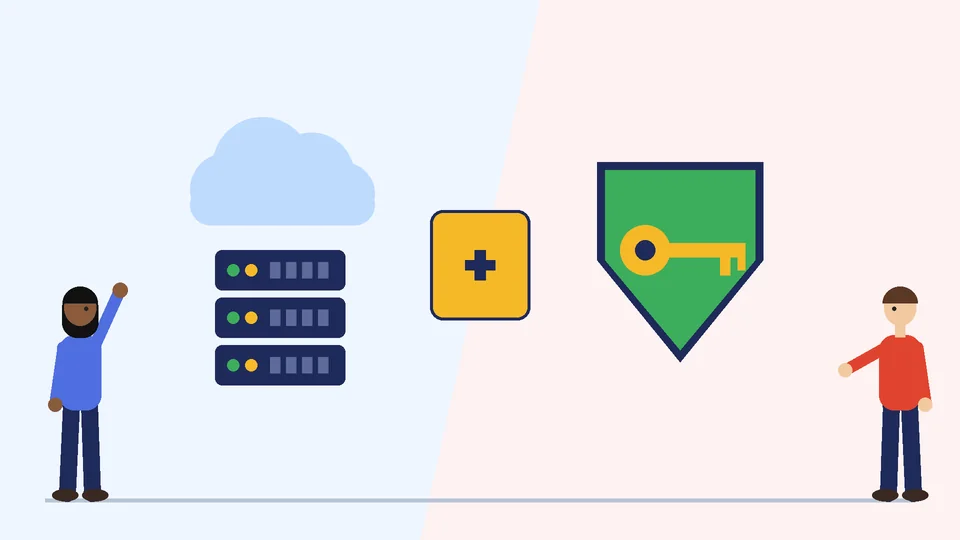
Moving to the cloud does not hand all security to the provider. AWS describes this as a shared responsibility model: AWS is responsible for security “of” the cloud, meaning the hardware, software, networking and facilities that run its services, and the customer is responsible for security “in” the cloud. Microsoft publishes a similar shared responsibility model for Azure, and Google Cloud documents its own version.
How much you own depends on the service:
- On IaaS such as Amazon EC2, you manage the guest operating system, security patches, any software you install and the firewall rules (security groups).
- On managed services such as Amazon S3, the provider runs the infrastructure, operating system and platform. You still manage your data, encryption choices and who has access through identity and access management (IAM).
- On SaaS such as Shopify, the provider runs the application. You still manage staff accounts, permissions, apps you install and the data you collect.
Whatever platform you use, the same basics apply:
- Turn on multi-factor authentication for every admin account.
- Give each person only the access they need, and remove access when people leave.
- Never make storage buckets public unless the files are meant to be public.
- Keep automated backups and test that you can restore them.
- Turn on logging and billing alerts so you notice unusual activity quickly.
If you accept card payments, the PCI Data Security Standard also applies to how you handle card data. Our guide to ecommerce security covers the store-side checks in more detail.
How cloud pricing works
Cloud platforms mostly charge for what you use. The main cost lines are:
- Compute: virtual servers or containers, billed by time and size.
- Storage: gigabytes stored per month, plus requests.
- Data transfer: data leaving the provider’s network to the internet is usually charged, while incoming data is often free.
- Managed services: databases, load balancers, content delivery and monitoring each have their own pricing.
- Support plans: business-level technical support is often a separate paid plan.
Most providers also offer discounts for committing to steady usage over one or three years, and cheaper capacity that can be interrupted. These can lower costs a lot for predictable workloads, but they lock you in, so start with on-demand pricing until you know your usage.
Before you choose, model your expected usage in each provider’s official calculator: the AWS Pricing Calculator, the Azure pricing calculator and the Google Cloud pricing calculator. AWS, Azure and Google Cloud each run a free tier or trial program, listed on the AWS Free Tier, Azure free account and Google Cloud Free Program pages. Terms and limits change, so read the current page before you rely on them.
Cloud computing for ecommerce: do you need it?
Many online stores never need to rent cloud servers directly. A hosted SaaS platform such as Shopify runs the servers, security patching, checkout and scaling for you, and that work is part of what you pay for in a Shopify plan.
Running your own store on IaaS or PaaS makes sense when you need control that a hosted platform does not give you. Common examples are a self-hosted platform such as Magento Open Source, a custom headless storefront, heavy integrations with ERP or warehouse systems, or strict data location rules. Our guide to Magento web development explains what it takes to run a self-hosted store well, and our comparison of ecommerce web hosts covers managed hosting options between the two extremes.
A quick way to decide:
| Your situation | Likely fit |
|---|---|
| You want to sell online without managing servers | Hosted SaaS platform such as Shopify |
| You run Magento or WooCommerce and want someone else to manage servers | Managed hosting built on a cloud provider |
| You have in-house developers and custom systems | IaaS or PaaS on AWS, Azure or Google Cloud |
| You need analytics on large volumes of store data | A cloud data warehouse alongside your store platform |
If you are still choosing the store platform itself, start with our guide on how to find the best CMS for ecommerce.
How to choose a cloud computing platform: a checklist
- Write down the workload. List what you need to run: a website, a store, a database, file storage, analytics or internal apps.
- Pick the service model. Decide how much of the stack your team will manage, using the IaaS, PaaS and SaaS table above.
- Match your existing tools. If your business runs on Microsoft or Google tools, start the comparison with that provider.
- Check regions and compliance. Confirm data center locations and any certifications your industry or customers require.
- Estimate costs in the official calculators. Include data transfer, backups and support, not only servers.
- Plan security and backups. Decide who owns patching, access reviews and restore tests before you launch.
- Check skills and support. Make sure your team or partner can run the platform day to day.
- Start small and review. Launch one workload, watch the bill and performance for a month or two, then expand.
Frequently asked questions
What are the main cloud computing platforms?
What is the difference between IaaS, PaaS and SaaS?
Is the cloud provider responsible for my security?
Does an online store need AWS, Azure or Google Cloud?
How much does cloud computing cost?
Can I switch cloud providers later?
Choose the platform that fits your team
The best cloud computing platform is the one that fits your workload, your team’s skills and your budget, with security and backups planned from day one. If you sell online, compare a hosted platform with a self-managed setup before you rent any servers. If you would like help choosing or planning a migration, contact PROSeCommerce.