
What is SEO forecasting?
SEO forecasting is estimating how much organic search traffic, and what business value, a site or a set of pages could gain over a set period if you carry out a specific SEO plan. A useful forecast starts from your own historical data in Google Search Console. It adds demand signals such as Google Trends and realistic assumptions about rankings and click-through rates. Then it turns the result into a range of outcomes (conservative, expected and optimistic) instead of a single promise.
This guide explains what goes into an SEO forecast, a step-by-step method you can run in a spreadsheet, how to estimate ROI, and the limits every forecast has. At PROSeCommerce, part of PROS Global in San Diego, we use this approach to plan SEO work for online stores. Data definitions come from Google Search Console Help, Google Trends Help and Google Search Central, read as of October 2026. The worked numbers below are illustrative examples, not benchmarks.
Why forecast SEO at all?
SEO takes time and budget, and the results are less predictable than paid ads. A forecast doesn’t remove that uncertainty, but it helps you:
- Prioritize work. Compare the likely upside of fixing category pages, writing new guides or improving technical health.
- Set expectations. Agree on a realistic range with stakeholders before work starts.
- Justify budget. Connect traffic estimates to orders and revenue using your own conversion data.
- Spot problems early. When actual results drift outside the forecast range, you know to investigate.
The data an SEO forecast needs
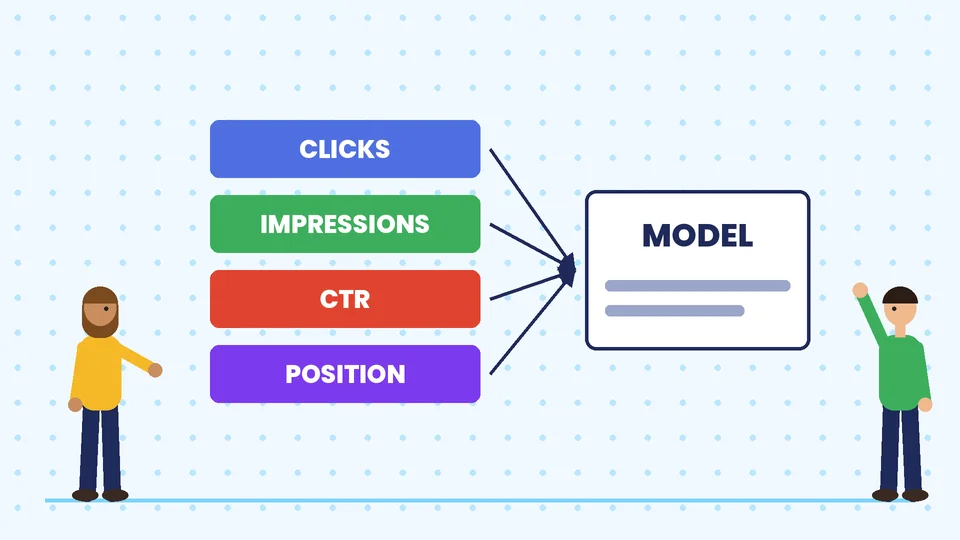
1. Historical performance from Google Search Console. The Performance report shows four metrics for your site in Google Search:
- Clicks: how many times searchers clicked through to your site.
- Impressions: how many times your site appeared in results.
- CTR (click-through rate): clicks divided by impressions.
- Average position: the average position of your topmost result.
The report’s default view covers the past three months, and you can change the date range, compare periods, filter by query, page, country, device and search type, and export the data. Google notes that the newest data can be preliminary and may change, so leave the last few days out of your baseline.
2. Demand trends from Google Trends. According to Google Trends Help, Trends uses a sample of Google searches, normalizes the data to the time and location of a query, and scales it from 0 to 100. That makes Trends good for seasonality and direction (is interest rising or falling, and in which months does it peak?), but it doesn’t give you search volumes. Treat it as a relative index.
3. Your own conversion data. Organic conversion rate, average order value and, if you can, gross margin, all from your analytics and store platform. Without them you can forecast traffic but not ROI.
4. The plan itself. Which pages you’ll create or improve, which queries they target and when the work will ship. A forecast without a plan just extends a line on a chart.
How to build an SEO forecast step by step
Step 1: Establish a baseline
Export at least 12 months of Search Console data if your property has it, so you can see a full seasonal cycle. Break it down by page or page group (for example category pages, product pages and blog posts). Record monthly clicks, impressions, CTR and average position for each group.
Step 2: Account for seasonality
Compare your monthly clicks with Google Trends interest for your main topics. If both peak in November and dip in February, your forecast should repeat that shape. Don’t treat a seasonal peak as growth.
Step 3: Choose the queries and pages you’ll target
List the queries each planned page should rank for. For existing pages, use the impressions and average position Search Console already shows. A page with many impressions at an average position around 8 to 15 often has the clearest upside. For new pages, estimate demand from related queries you already appear for. Grouping queries into topics works well here. Our guide to building a content calendar with keyword clustering shows how.
Step 4: Estimate clicks from impressions and CTR
For each target, estimate future impressions, then multiply by the CTR you expect at the position you’re aiming for. Use CTRs from your own Search Console data at that position wherever possible. Click-through rates vary widely by query type, brand, device and the search features on the results page.
Illustrative example: a category page gets 20,000 impressions a month at an average position of 9 with a 1 percent CTR, so about 200 clicks. Say your own data shows pages at positions 3 to 4 earn about 5 percent CTR for similar queries. Reaching that range with the same impressions would mean about 1,000 clicks a month, an increase of about 800.
Step 5: Build three scenarios
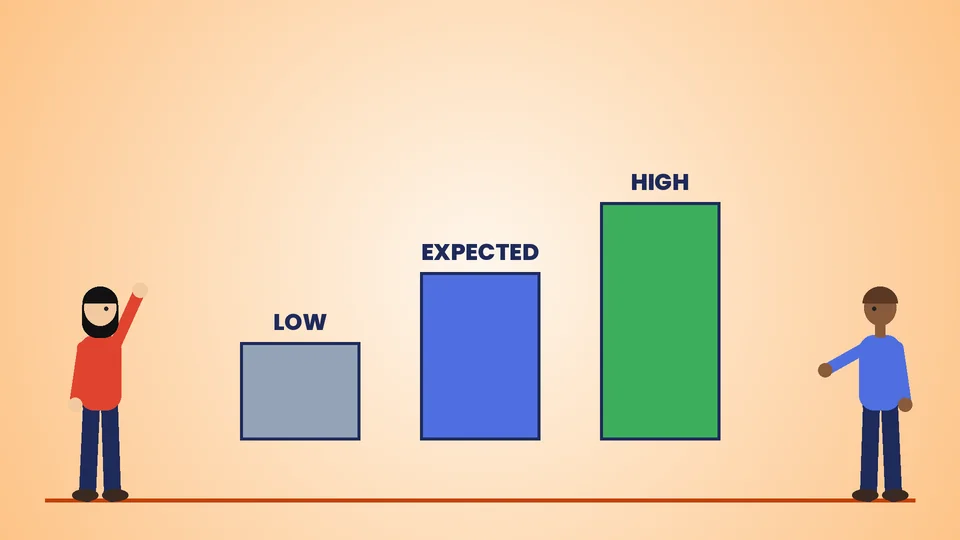
Rankings aren’t guaranteed, so model a range:
| Scenario | Assumption | Example monthly clicks (from Step 4) |
|---|---|---|
| Conservative | Page improves only slightly (positions 6 to 7) | About 400 |
| Expected | Page reaches positions 3 to 4 | About 1,000 |
| Optimistic | Page reaches the top two positions | Higher, using your own top-position CTR |
Spread gains over a realistic timeline. Rankings for improved or new pages usually build over months, not days.
Step 6: Convert traffic into revenue and ROI
Apply your organic conversion rate and average order value:
Added revenue = added clicks x organic conversion rate x average order value
ROI = (added gross profit – SEO cost) / SEO cost
Illustrative example: 800 added clicks a month x 2 percent conversion x $80 average order value = $1,280 in added monthly revenue. At a 40 percent gross margin, that’s $512 a month in gross profit. Compare that with what the work costs, and remember that gains from good SEO work often continue after the work is done.
Use gross profit, not revenue, when you calculate ROI. Otherwise the forecast will overstate the return.
Step 7: Track actuals against the forecast
Each month, compare real clicks, positions and conversions with your three scenarios. Measure success with the same discipline you use for content. See how to measure success in content creation.
Forecasting new pages vs. existing pages
Existing pages are easier to forecast because Search Console already shows their impressions, positions and CTR. You’re estimating the effect of improving something you can measure.
New pages are harder. There is no history, so base the estimate on related queries your site already appears for, the performance of similar pages on your site and Google Trends seasonality for the topic. Keep the conservative scenario truly conservative, and assume new pages take longer to earn impressions than improved ones.
For a store, a practical split is:
- Category pages: usually the biggest commercial opportunity; forecast them by group.
- Product pages: forecast in aggregate, since individual products come and go.
- Guides and blog posts: forecast traffic, but measure their value through assisted conversions and email sign-ups as well as direct sales.
What can throw a forecast off
Every SEO forecast is an estimate. The biggest sources of error are:
- Core updates. Google’s core updates documentation says Google makes significant, broad changes to its search algorithms and systems several times a year. These changes are broad and don’t target specific sites, but they can move rankings in either direction.
- Search results features. Ads, AI-generated answers, shopping results and other features can change how many searchers click any organic result. That’s why CTRs from your own recent data beat generic curves.
- Competitors. Other stores are improving their pages too.
- Execution. Forecasts assume the work ships on time and well. Delays push gains back.
- Seasonality and demand shifts. A trend can fade or a new product category can take off.
- Risky tactics. Shortcuts that break Google’s spam policies can wipe out gains. See why you should be careful with your SEO.
Presenting the forecast to stakeholders
A forecast is only useful if people understand it. Keep the presentation short:
- Show the baseline, the three scenarios and the timeline on one chart.
- List the five or six assumptions that matter most, such as target positions, CTRs, conversion rate and launch dates.
- Separate the work you control (pages shipped, fixes made) from the outcomes you don’t (rankings and clicks).
- Agree in advance on when you’ll review results and what would trigger a change of plan.
Tips for more reliable SEO forecasts
- Forecast by page group, not the whole site. Category, product and content pages behave differently.
- Use your own CTR by position from Search Console instead of industry averages.
- Separate branded and non-branded queries. Branded demand mostly follows marketing and awareness, not SEO work.
- Write down every assumption so anyone can check and update the model.
- Update the forecast quarterly with fresh data.
- Pair SEO with conversion work. More traffic is worth more when the store converts well. Our Shopify conversion rate optimization guide covers that side.
Before forecasting, make sure the basics are in place. A clear internal linking strategy and a complete Shopify SEO checklist make projected gains more realistic. If you’re new to the topic, start with what SEO is all about.
Frequently asked questions
Is SEO forecasting worth it for a small store?
What data do I need for an SEO forecast?
How accurate are SEO forecasts?
Can Google Trends tell me search volume?
How do you calculate SEO ROI?
How long before SEO forecasts can be measured?
Forecast, then measure
A good SEO forecast is a plan with numbers attached: built from your own Search Console history, adjusted for seasonality, expressed as a range, and tied to revenue through your own conversion data. It won’t predict the future exactly, but it makes SEO decisions clearer and easier to defend. If you want help building an SEO forecast or plan for your store, contact PROSeCommerce.