

Where WooCommerce and Shopify really differ
WooCommerce vs Shopify comes down to ownership versus convenience. WooCommerce is free software you run on your own WordPress hosting, so you control the code, the host, and the payment provider, and you carry the maintenance. Shopify is a hosted platform with a monthly plan that covers hosting, security, and checkout, in exchange for working inside Shopify’s rules.
Neither one is the “cheaper” or “better” platform in every case. The right pick depends on how much of the technical work you want to own, how your products are structured, how you take payments, and how central content is to your marketing. At PROSeCommerce, part of PROS Global, a San Diego Shopify and Magento agency, we help merchants choose between platforms like these and move between them, and the same handful of questions settles the choice in most cases. This guide walks through those questions with current numbers from each company’s own pages, as of October 2026.
What WooCommerce and Shopify are
WooCommerce is a free, open-source ecommerce plugin for WordPress, built by Automattic. You install it on a WordPress site, choose your own hosting, and add features through extensions and plugins. Because it’s open source, you can change anything, but you’re also responsible for updates, backups, security, and performance.
Shopify is a hosted (software-as-a-service) commerce platform. You pay a monthly plan fee, and Shopify runs the servers, applies updates, provides the SSL certificate, and handles checkout. Shopify says on its pricing page that it is certified Level 1 PCI DSS compliant and that stores on Shopify are PCI compliant by default. You customize the storefront with themes written in Shopify’s Liquid language and extend it with apps.
The practical difference: on WooCommerce you own the whole stack and every problem in it. On Shopify you rent a well-run stack and accept its limits.
WooCommerce vs Shopify at a glance
| Factor | WooCommerce | Shopify |
|---|---|---|
| Software cost | Free plugin, no platform fee | $29 to $299 a month billed yearly (Basic to Advanced); Plus from $2,300 a month |
| Hosting | You choose and pay a host | Included in every plan |
| Payments | Any gateway, no platform surcharge | Shopify Payments, or a third-party gateway plus a 0.2% to 2% Shopify fee |
| Updates and security | Your responsibility | Handled by Shopify |
| Product options | No platform cap on variations listed by WooCommerce | Up to 2,048 variants and three options per product |
| URL structure | Fully editable WordPress permalinks | Fixed prefixes such as /products/ and /collections/ |
| Content and blogging | WordPress, the strongest part of the stack | Built-in blog, more basic |
| Best fit | Content-led brands, unusual product logic, teams with technical help | Brands that want to sell without running servers |
Shopify figures come from Shopify’s US pricing page and its Help Center article on variants; WooCommerce figures come from WooCommerce’s pricing page, all checked in October 2026.
What each platform really costs
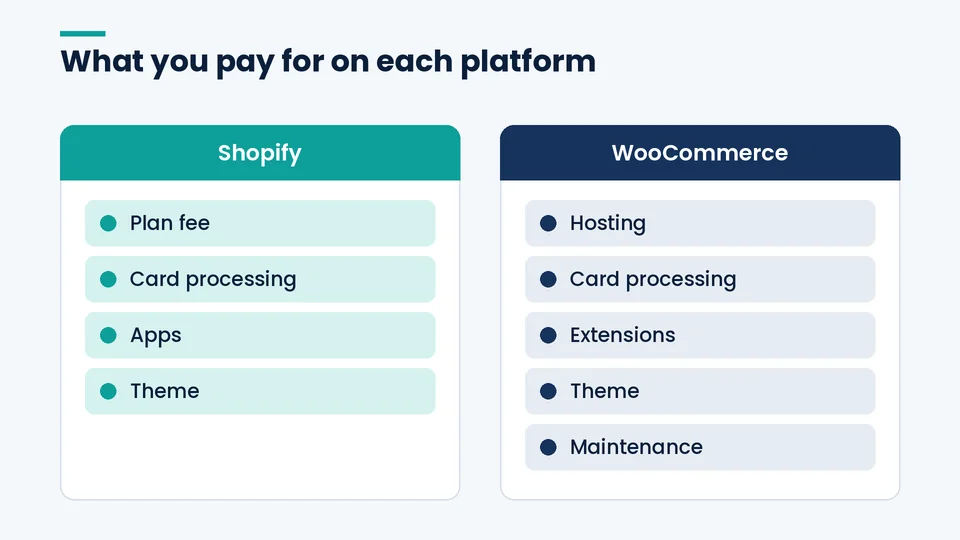
The sticker price is the least useful number in this comparison. A WooCommerce store’s software is free, and a Shopify store’s plan fee is clear, but in both cases card processing ends up being the biggest monthly line once a store has real sales. Compare the full bill, not the headline.
Shopify’s plan fees and card rates
As of October 2026, Shopify’s US plans cost $29 a month for Basic, $79 for Grow, and $299 for Advanced when billed yearly, or $39, $105, and $399 month to month. Shopify Plus starts at $2,300 a month on a three-year term and $2,500 on a one-year term, according to the Shopify Plus pricing page.
Online standard card rates with Shopify Payments are 2.9% + 30¢ on Basic, 2.7% + 30¢ on Grow, 2.5% + 30¢ on Advanced, and 2.25% + 30¢ on Plus. Premium cards cost more, and international cards add 1%. Hosting and the SSL certificate are included in every plan. What isn’t included is the app layer: reviews, subscriptions, loyalty, advanced search, and bundles are often separate monthly subscriptions.
WooCommerce’s hosting, extensions, and payments
WooCommerce itself costs nothing. WooCommerce’s own pricing page estimates hosting at $25 to $350 a month for most stores and paid extensions at $29 to $299 a year each. If you use WooPayments, the US rate for cards is 2.9% + $0.30, with an extra 1.5% for international cards, 1% for currency conversion, and a $15 dispute fee, per the WooPayments fee schedule. You can also use Stripe, PayPal, or another gateway at their rates.
The cost that WooCommerce price lists leave out is people. Someone has to apply WordPress, theme, and plugin updates, test them, keep backups, and fix conflicts. That might be you, a freelancer, or an agency retainer, and it belongs in the comparison.
A worked monthly example
Here is an illustrative month for a US store doing $30,000 in online card sales across 600 orders, all on standard domestic cards. The hosting and extension figures are assumptions inside WooCommerce’s published ranges, not quotes.
| Monthly line | Shopify Grow with Shopify Payments | Shopify Grow with an outside gateway at 2.9% + 30¢ | WooCommerce with WooPayments |
|---|---|---|---|
| Platform plan | $79 | $79 | $0 |
| Hosting | Included | Included | $100 (assumed) |
| Extensions or apps | Varies | Varies | About $42 (five extensions at $100 a year, assumed) |
| Card processing | $990 | $1,050 | $1,050 |
| Shopify third-party fee (1%) | $0 | $300 | $0 |
| Total before apps and labor | About $1,069 | About $1,429 | About $1,192 |
Two things stand out. First, card processing (plus Shopify’s surcharge where it applies) makes up about 88% to 95% of each total, so the plan fee is rarely the deciding cost. Second, the only scenario where Shopify is clearly more expensive here is the one where you skip Shopify Payments. Add your real app list, your developer or maintenance hours, and your actual card mix before you trust any total, including this one.
Transaction fees and payment choices
WooCommerce doesn’t add a platform fee to any payment provider; you pay only your gateway’s rate. Shopify charges no extra fee when you use Shopify Payments, but adds 2% on Basic, 1% on Grow, 0.6% on Advanced, or 0.2% on Plus when you use a third-party provider, on top of that provider’s own charges.
That surcharge matters most for businesses that can’t or won’t use Shopify Payments: some high-risk categories, merchants with negotiated processor contracts, and brands that rely on a specific gateway for financing or B2B invoicing. If that’s you, price the surcharge at your real monthly volume before choosing Shopify. If Shopify Payments works for your business, the difference largely disappears.
Ease of use and day-to-day maintenance
Shopify is easier to run day to day. There are no servers to size, no core updates to apply, and no plugin conflicts after an update. Most store owners can launch on a Shopify theme without a developer, then bring one in for custom sections or integrations.
WooCommerce asks more of you. As of October 2026, WooCommerce’s server requirements call for WordPress 6.9 or later, PHP 8.3 or later, MySQL 8.0 or later (or MariaDB 10.6 or later), and a WordPress memory limit of at least 256 MB. A good managed WordPress host takes care of much of that, but plugin and theme compatibility after updates is still on you. Stores with long plugin lists feel this most.
When we scope a platform decision at PROSeCommerce, the first practical question is who will own updates and fixes in year two. A WooCommerce store with a named owner and a staging site is perfectly stable. One with neither tends to drift.
Design, customization, and product data
Both platforms have large theme and add-on marketplaces, so design is rarely the deciding factor. The real differences are in how far you can bend the platform and how product data is modeled.
- Code access. WooCommerce runs on PHP and WordPress, so a developer can change almost anything, including checkout. Shopify gives you theme code (Liquid), apps, and Shopify Functions, while core checkout logic beyond what your plan allows stays closed. Our guide to Shopify Advanced vs. Shopify Plus covers which checkout controls need Plus.
- Product options. Shopify allows up to 2,048 variants and three options per product. Products that need a fourth option, such as size, color, material, and finish, need an app, line item properties, or a different product structure. WooCommerce’s pricing page lists product variants as unlimited, though very large variation sets still depend on your hosting.
- Custom data. WooCommerce uses custom fields and attributes; Shopify uses metafields and metaobjects. Both work well once the data model is planned before import.
We cover the other Shopify trade-offs, from app costs to checkout limits, in our rundown of Shopify’s disadvantages.
WooCommerce vs Shopify for SEO
Both platforms can rank well. Technical SEO is a set of basics that either one handles, and the content and links you build matter far more than the platform you choose. The differences are about control: WordPress lets you shape URLs and content freely, while Shopify gives you clean defaults inside a fixed URL structure.
On WordPress, you choose the permalink structure under Settings, including custom structures, as described in the WordPress permalinks documentation, and SEO plugins give you fine control over titles, schema, and sitemaps. On Shopify, products always sit under /products/, collections under /collections/, and blog posts under /blogs/. Shopify generates the sitemap and canonical tags for you, and its URL redirect rules allow up to 100,000 redirects (20 million on Plus), only from URLs that are actually broken.
Two practical notes. Page speed depends more on your theme, apps, and images than on the platform, which is why our guide on how to speed up your Shopify store focuses on app and theme discipline. And if content is the engine of your marketing, WordPress is the stronger publishing tool.
Scaling, B2B, and selling internationally
Shopify’s growth path is mostly a plan upgrade. Shopify Markets handles currencies, languages, and local domains on every plan, and B2B features such as company accounts and net payment terms are available on every plan, with up to three active B2B catalogs below Plus and unlimited catalogs on Plus, per Shopify’s pricing page. Plus adds up to nine expansion stores, higher API limits, and full checkout customization.
WooCommerce scales by improving hosting, caching, and code, and by adding extensions for wholesale pricing, subscriptions, or multi-currency. There’s no plan ceiling, but there’s also no vendor guaranteeing performance on a big sales day. That responsibility sits with your host and your developers.
Which platform fits which business
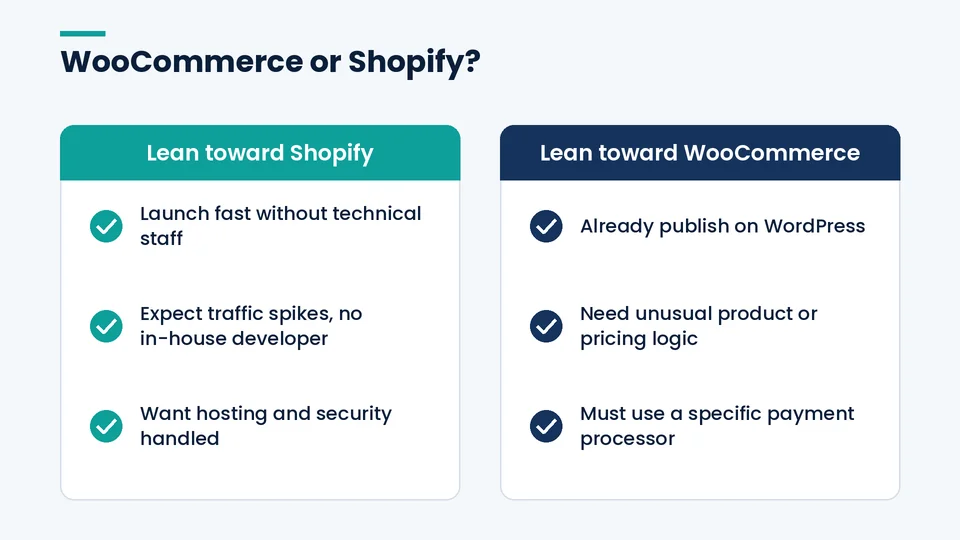
| If your business… | Usually the better fit | Why |
|---|---|---|
| Wants to launch fast without technical staff | Shopify | Hosting, security, and checkout are handled |
| Publishes a lot of content and already runs WordPress | WooCommerce | Keeps commerce inside the strongest publishing tool |
| Needs more than three product options or unusual pricing logic | WooCommerce, or Shopify with apps | WooCommerce can be coded directly; Shopify needs workarounds |
| Must use a specific outside payment processor | WooCommerce | No platform surcharge on outside gateways |
| Expects heavy traffic spikes and has no in-house developer | Shopify | Shopify runs the infrastructure |
| Sells across several countries with one team | Either | Shopify Markets is built in; WooCommerce needs extensions |
Moving between the two later
Choosing one platform today doesn’t lock you in forever, but moving later takes real work. Products, customers, and orders can be exported and imported between the two, while themes, plugin or app data, and URL structures don’t carry over and need rebuilding and redirect mapping.
If you’re already on WooCommerce and maintenance has become a burden, our business case on whether to migrate from WooCommerce to Shopify covers the cost and timing questions, and our WooCommerce to Shopify migration checklist covers the data, redirects, and launch steps.
Frequently asked questions about WooCommerce and Shopify
Is WooCommerce cheaper than Shopify?
Which is better for SEO, WooCommerce or Shopify?
Does WooCommerce charge transaction fees?
Do I need a developer to run a WooCommerce store?
Is Shopify or WooCommerce better for a small business?
Can I switch from WooCommerce to Shopify later?
Choosing between WooCommerce and Shopify
If you want to own every layer of your store and have the people to maintain it, WooCommerce gives you the most freedom and no platform fees. If you’d rather spend your time on products and marketing than on servers and plugin updates, Shopify is the safer default, as long as you plan around its fees and product limits.
If you’d like a second opinion on your catalog, payments, and growth plans, PROSeCommerce can review your setup and tell you plainly which platform fits. Our Shopify development team builds, migrates, and maintains stores, and we’ll say so if staying on WooCommerce makes more sense.