
What Facebook ads are
Facebook ads are paid placements you buy through Meta Ads Manager that can appear on Facebook, Instagram, and other Meta apps. For an online store, they are a way to put products in front of people who have not found you yet and to bring back visitors who left without buying, with spending you control by the day or campaign.
The earlier version of this post, from 2021, described Facebook advertising in vague terms and included claims that did not match how the platform works. This refresh is a practical beginner’s guide for ecommerce and Shopify stores: how campaigns are structured, how to connect your store, which objective to pick, how to set a budget you can judge, and what to measure. Shopify setup details come from the Shopify Help Center and pricing page, and Meta policy points from Meta’s Transparency Center, checked as of October 2026. PROSeCommerce, part of PROS Global in San Diego, builds and markets Shopify stores for US brands, and the advice here reflects the order of work we follow: tracking first, then structure, then creative.
How Facebook ads work
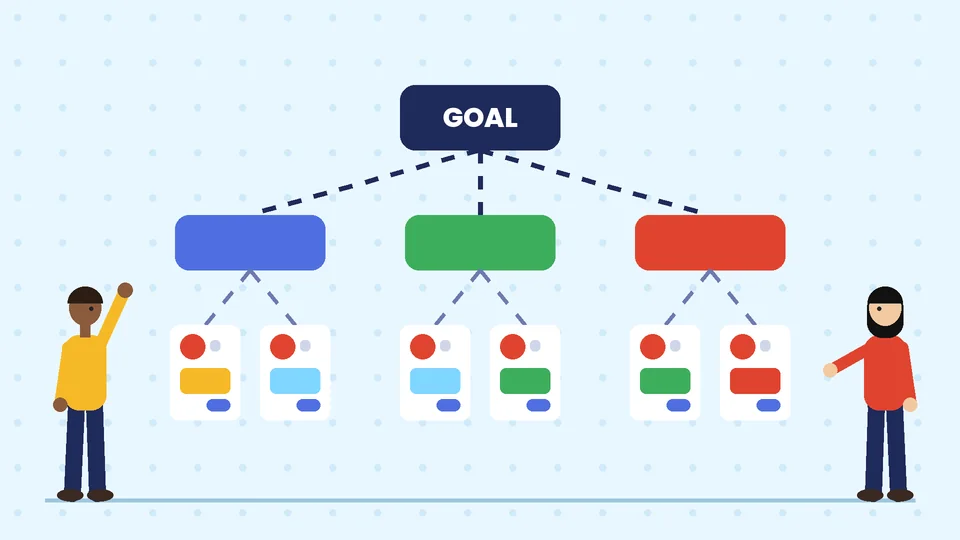
Every Meta ad sits inside a three-level structure. Understanding it makes Ads Manager far less confusing.
- Campaign. Where you choose the objective, such as sales or traffic. The objective tells Meta what result to optimize for.
- Ad set. Where you set the audience, placements, schedule, and often the budget.
- Ad. The creative people see: images or video, text, a headline, and a link to your store.
When someone scrolls their feed, Meta runs an auction among the ads that could be shown to that person. In general terms, the winner is the ad expected to deliver the most value, weighing the advertiser’s bid, how likely the person is to take the action you asked for, and ad quality. You do not need to understand the auction in detail. What matters is that a clear objective, accurate tracking, and relevant creative give the system better signals to work with.
Connect your Shopify store to Meta first
For Shopify merchants, setup starts with the Facebook and Instagram sales channel. According to Shopify’s Facebook and Instagram by Meta help page, as of October 2026 the channel is free on all Shopify plans, subject to store eligibility, and it lets you:
- Sync your products to a catalog on Facebook and Instagram, which powers shopping features and catalog ads.
- Sell on Facebook Shop and Instagram Shopping from your Page and profile.
- Create and connect a Meta pixel so Meta can see visits, add-to-carts, and purchases on your store.
- Choose a customer data-sharing level and use the Conversions API, which sends events from your store’s server rather than relying only on the browser.
The Help Center also notes that as of August 26, 2025, Meta is no longer a marketplace tax facilitator. Merchants are responsible for collecting and remitting sales tax on Facebook and Instagram orders created from that date, so check your tax settings in the Shopify admin before you sell through those channels.
Do this before you spend anything on ads. Without purchase tracking, a sales campaign has nothing to learn from, and your reports will not tell you which ads made money.
Choose the right campaign objective
Meta Ads Manager groups campaigns into six objectives: Awareness, Traffic, Engagement, Leads, App promotion, and Sales. Most online stores should start with Sales, because it optimizes for purchases recorded by your pixel and Conversions API, and use the others only for specific goals such as launches or list building.
| Objective | What Meta optimizes for | When an online store might use it |
|---|---|---|
| Awareness | Reaching people and ad recall | A product launch or new market where reach matters more than immediate sales |
| Traffic | Clicks or landing page views | Sending people to content, rarely for direct sales |
| Engagement | Interactions, video views, messages | Building video audiences or starting conversations |
| Leads | Form fills and sign-ups | Growing an email list with a sign-up offer |
| App promotion | App installs and in-app actions | Stores with a shopping app |
| Sales | Purchases and other conversion events | Most ecommerce campaigns |
When you choose Sales, Ads Manager can run the campaign as what Meta calls an Advantage+ sales campaign, in which Meta’s automation handles audience, placements, and budget across ad sets. In February 2025, Meta announced it was renaming Advantage+ shopping campaigns to Advantage+ sales campaigns and moving toward a single campaign setup with Advantage+ switched on by default; Meta’s About Advantage+ sales campaigns page explains the settings. You can still narrow audiences, exclude placements, or set separate ad set budgets, but doing so turns Advantage+ off for that part of the campaign.
Who to target: prospecting and retargeting
Ecommerce audiences fall into two groups, and each needs its own campaign or ad set.
Prospecting: people who do not know you yet
Meta’s automation now does much of the audience finding. A common starting point for a store with working purchase tracking is a broad audience limited by country and age, with your best customers or interests added as suggestions rather than strict limits. Your creative then does the targeting: an ad for trail running shoes tends to find trail runners.
Retargeting: people who already showed interest
Custom audiences let you reach people who visited product pages, added to cart, or bought before. Typical groups include:
- Product viewers in the last few weeks who did not add to cart.
- Cart and checkout abandoners.
- Past customers, for repeat purchases or new arrivals.
Customer list uploads are also possible. Meta’s Advertising Standards say advertisers who target custom audiences must comply with the applicable terms when creating them, and must not use targeting to discriminate against or harass people. Upload only customer data you have permission to use under your own privacy policy.
Ad formats that work for online stores
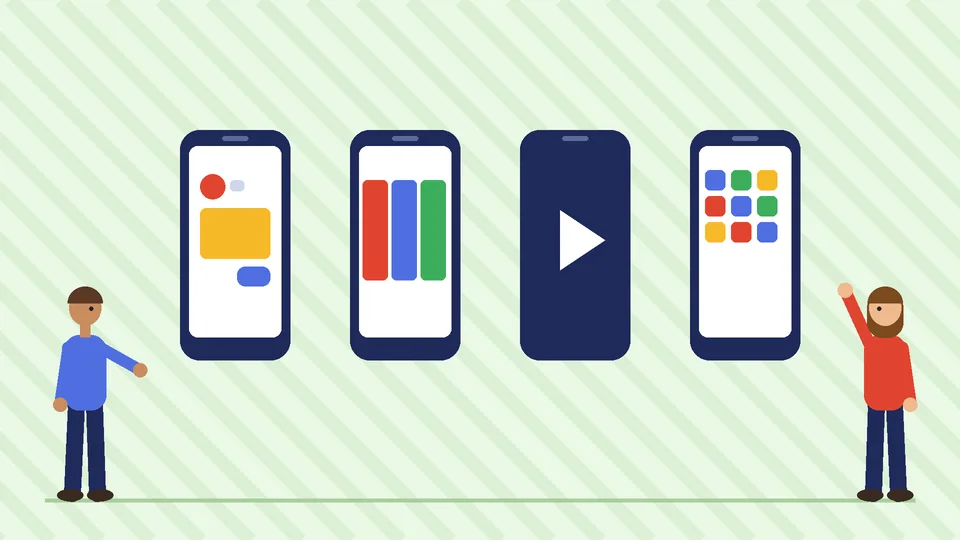
You do not need every format. Start with two or three and test.
- Single image. One product or offer, clear photo, short text. Easy to produce and test.
- Video. Shows the product in use. Short, vertical clips suit Stories and Reels placements.
- Carousel. Several products or several angles of one product, each with its own link.
- Catalog ads. Pull products from your synced catalog and show each person items related to what they viewed. They are the usual choice for retargeting.
- Collection. A cover image or video with products below it, opening an instant full-screen experience on mobile.
Whatever the format, the landing page has to match the ad. Meta’s Advertising Standards require that the products and services promoted in an ad match those promoted on the landing page. Sending a sale ad to a page without the sale wastes money and can get ads rejected.
Set a budget you can judge
Start with a budget you can afford to spend while you learn, then judge results against your margins rather than against someone else’s benchmarks.
The number that matters most is your break-even return on ad spend (ROAS). Divide 1 by your gross margin after product cost, shipping, and payment fees. If you keep 40 cents of every sales dollar, your break-even ROAS is 1 divided by 0.40, or 2.5. Below that, ads lose money on the first order. Above it, they are profitable before you count repeat purchases.
Practical rules for the first weeks:
- Run fewer campaigns. One prospecting and one retargeting campaign are enough to start.
- Change one thing at a time. Swap creative or audience, not both, so you know what moved results.
- Give changes time. Daily results swing; judge on a week or more of data.
- Watch frequency. If the same people see an ad many times and results fall, refresh the creative.
Measure results the right way
Meta’s reports and your Shopify reports will rarely match exactly, because they count conversions differently. Meta credits an ad for purchases within its attribution window after someone clicked or viewed it, while Shopify reports where the order came from based on its own tracking. Use both:
- Meta Ads Manager for comparing campaigns, ad sets, and creative against each other.
- Shopify Analytics for total sales, new versus returning customers, and margin.
- Blended numbers for the business view: total ad spend divided by total new customers, and total revenue divided by total ad spend, checked weekly.
If ads bring visitors who do not buy, the problem may be the store rather than the ads. Our guide to Shopify conversion rate optimization covers product pages, checkout, and trust signals that turn paid clicks into orders.
Pair ads with email and owned channels
Paid social is expensive to rely on alone. The stores that get the most from it turn first-time buyers into repeat customers through channels they own. Capture email and SMS sign-ups on your site, welcome new buyers, and send relevant follow-ups; our guide to Shopify email segmentation shows how. For the bigger picture of how paid social fits with search, content, and email, see our ecommerce marketing strategies guide.
Shopify Plus stores also have access to Shopify Audiences, which Shopify’s pricing page lists as a Plus feature for optimizing ads. If you are deciding whether Plus is worth it for advertising tools like this, compare the plans in our guide to Shopify plans.
Common mistakes to avoid
- Launching without purchase tracking. Sales campaigns need conversion data.
- Boosting posts instead of building campaigns. Boosts are quick but give you less control over objective and audience.
- Too many small ad sets. Splitting a small budget many ways leaves each with too little data.
- Judging on day one. Early results are noisy.
- Weak landing pages. A slow or confusing product page wastes every click.
- Claims you cannot support. US advertising rules expect claims about results, savings, or health to be truthful and backed up, and Meta can reject or remove ads that break its standards.
When to get help
Many store owners run their first campaigns themselves. Outside help pays off when tracking is broken, when spend grows past what you can review each week, or when you need a steady supply of new creative. PROSeCommerce can audit your Shopify and Meta setup, from pixel and Conversions API events to catalog sync, before you scale spend.
Frequently asked questions
Do Facebook ads work for ecommerce?
How much should a small store spend on Facebook ads?
What is the best Facebook ad objective for an online store?
Do I need the Meta pixel on my Shopify store?
Is the Facebook and Instagram channel free on Shopify?
Why do Meta and Shopify report different sales numbers?
The bottom line
Facebook ads can grow an online store when the basics are in place: the Facebook and Instagram channel connected, purchase tracking working, a Sales objective, a small number of campaigns, and a budget judged against your own margins. Set those up first, then put your effort into creative and the product pages your ads send people to.