
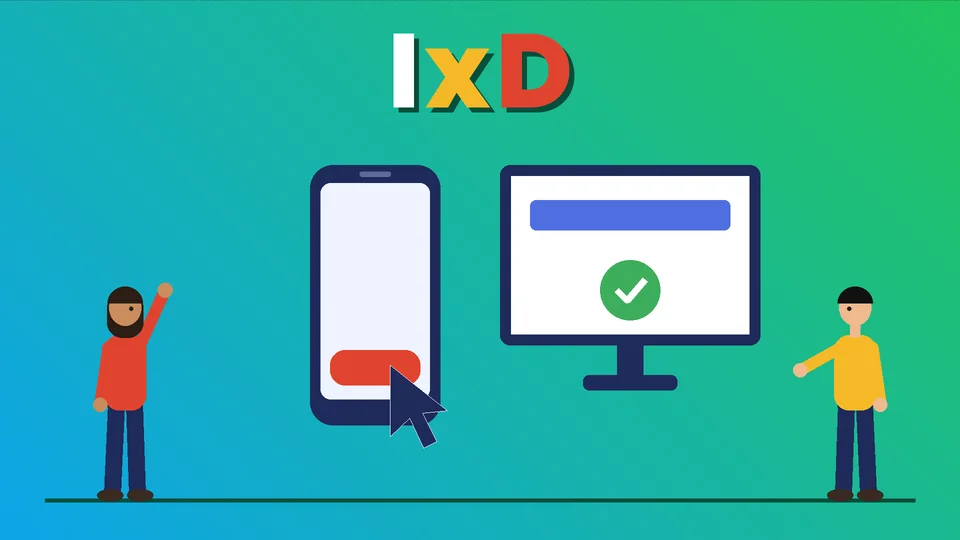
What does an interaction designer do?
An interaction designer decides how people use a digital product: what happens when they tap, click, type, swipe or wait, and how the product responds. They design flows, controls, feedback, states and transitions so a task such as finding a product, filling out a form or checking out feels clear and predictable. Interaction designers work alongside UX researchers, visual (UI) designers and developers, and their work is judged at the moment of use: can a real person complete the task without confusion?
This guide explains what interaction design is, how it differs from UX and UI design, what interaction designers do day to day, the skills and tools they use, and how interaction design affects an online store. At PROSeCommerce, part of PROS Global in San Diego, interaction design is part of every store build and redesign we take on. Definitions and guidelines come from the Interaction Design Foundation, Nielsen Norman Group and the W3C, read as of October 2026.
What is interaction design?
The Interaction Design Foundation defines interaction design (often shortened to IxD) as the design of interactive products and services, where the designer’s focus goes beyond the item being built to include the way users will interact with it. That means studying users’ needs, limits and context, then shaping the product around them.
A simple way to think about it: a visual designer decides what a button looks like; an interaction designer decides when the button appears, what happens when you press it, what you see while you wait and what happens if something goes wrong.
The five dimensions of interaction design
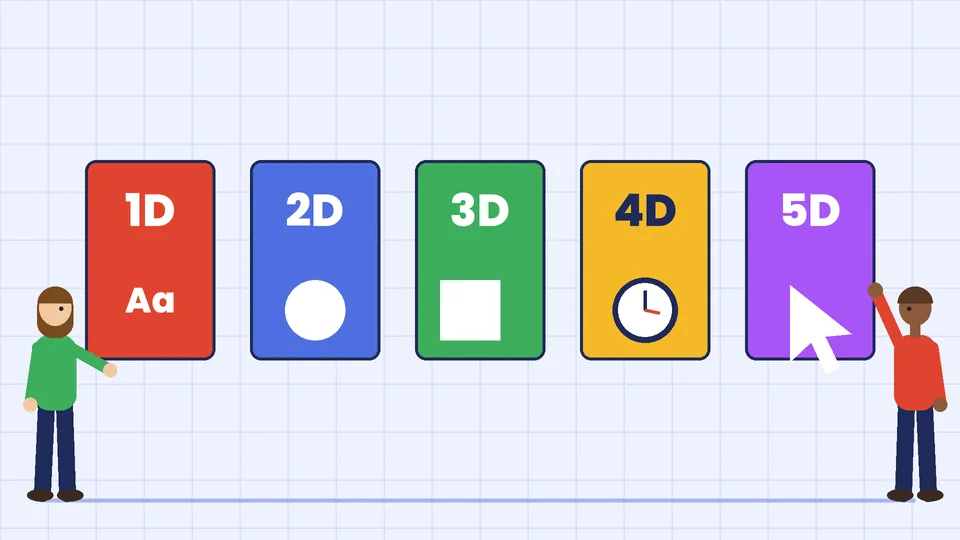
The Interaction Design Foundation describes five dimensions that interaction designers work with. They were first defined by Gillian Crampton Smith, a professor at London’s Royal College of Art, and Kevin Silver, a senior interaction designer.
| Dimension | What it covers | Ecommerce example |
|---|---|---|
| 1D: Words | Labels, button text, instructions and messages | “Add to cart” vs. a vague “Submit” |
| 2D: Visual representations | Icons, images, typography and layout | A clear cart icon with an item count |
| 3D: Physical objects or space | The device and environment people use | A thumb-friendly layout on a phone |
| 4D: Time | Motion, animation, sound and response time | A short animation when an item lands in the cart |
| 5D: Behavior | How the product reacts to actions and gives feedback | An inline error that explains what to fix |
Good interaction design considers all five together. Clear words do not help if the button is too small to tap, and a smooth animation does not help if it delays the page.
Interaction design vs. UX design vs. UI design
The three terms overlap, and job titles vary between companies. The Interaction Design Foundation describes interaction design as an essential part of UX design. UX design covers the entire user journey, including branding, design, usability and function. Interaction design centers on the moment of use.
| Discipline | Main question | Typical outputs |
|---|---|---|
| UX design | Does the whole experience meet user and business needs? | Research findings, journey maps, information architecture |
| Interaction design | How does each task work, step by step? | User flows, wireflows, prototypes, interaction specs |
| UI (visual) design | How does each screen look? | Visual designs, style guides, component libraries |
In small teams, one person often does all three. In larger teams, interaction designers usually sit between researchers, who learn what users need, and visual designers and developers, who build the final screens.
What interaction designers do day to day
A typical week for an interaction designer might include:
- Mapping user flows. Writing out every step a person takes to complete a task, including branches for errors and edge cases.
- Sketching and wireframing. Rough layouts that show where controls and content go.
- Building wireflows. Nielsen Norman Group describes wireflows as a combination of wireframes and flowcharts. They show screen designs and how people move between them, which suits dynamic interfaces.
- Prototyping. Clickable versions of a design that people can try before anything is coded.
- Designing states. Every control has states: default, hover, focus, pressed, disabled, loading, success and error. Interaction designers specify each one.
- Designing microinteractions. Small, single-purpose moments such as a heart icon filling in when you save an item.
- Testing with users. Watching real people try the prototype and noting where they hesitate or fail.
- Working with developers. Explaining timing, transitions and edge cases so the built product behaves as designed.
Microinteractions: the small moments that matter
Nielsen Norman Group defines microinteractions as trigger-feedback pairs. The trigger can be a user action or a change in the system’s state. The feedback is a small, targeted change in the interface, usually visual, that responds to the trigger. Microinteractions convey system status, help prevent errors and can express a brand’s personality.
Common ecommerce microinteractions include:
- a cart icon count that updates when an item is added;
- a password field that shows which requirements are met as you type;
- a size selector that crosses out sizes that are out of stock;
- a “Copied” message after you copy a discount code;
- a progress indicator during payment processing.
Each one answers a question the shopper would otherwise have to guess at: did that work, and what happens next?
The interaction design process
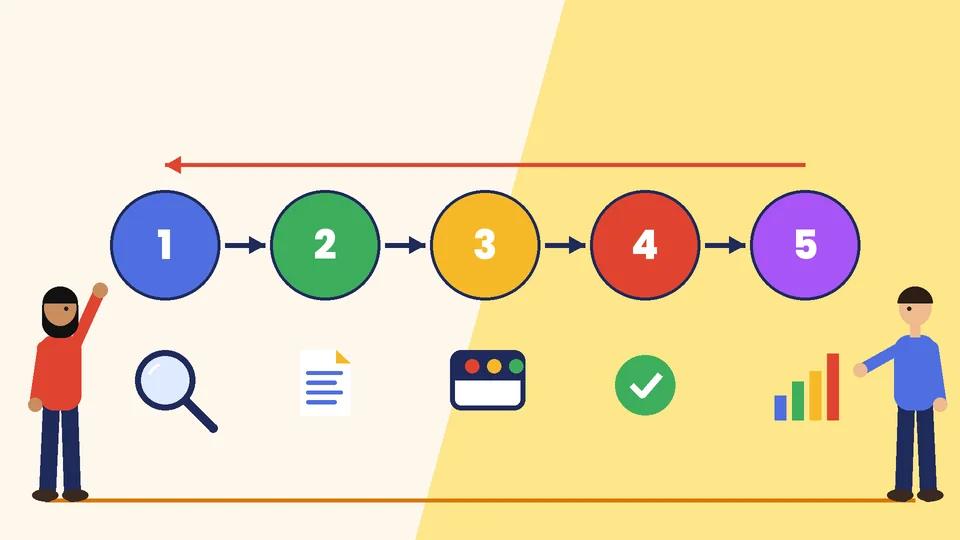
Teams describe the process in different ways, but most interaction design work follows these steps:
- Understand the users and the task. Review analytics and support tickets, and talk to customers. Nielsen Norman Group’s UX research cheat sheet explains which research methods, such as usability testing, card sorting or diary studies, fit each stage of a project.
- Define the flow. Write the steps of the task and the decisions along the way. Agree on what success looks like, such as fewer checkout errors.
- Sketch options. Explore several ways the interaction could work before committing to one.
- Prototype. Build a clickable version of the best option, at low fidelity first.
- Test and iterate. Watch a small group of real users try the prototype, fix what confuses them and test again.
- Specify and hand off. Document states, timing, error messages and accessibility needs for developers.
- Measure after launch. Compare task completion, error rates and conversion with the baseline.
Principles interaction designers rely on
Jakob Nielsen’s 10 usability heuristics are broad rules of thumb for interaction design that are widely used for reviewing interfaces. They include:
- Visibility of system status
- Match between the system and the real world
- User control and freedom
- Consistency and standards
- Error prevention
- Recognition rather than recall
- Flexibility and efficiency of use
- Aesthetic and minimalist design
- Help users recognize, diagnose and recover from errors
- Help and documentation
Two more areas have concrete, published targets:
Accessibility. The W3C’s Web Content Accessibility Guidelines (WCAG) 2.2 set out how to make web content usable for people with disabilities. One example that matters for interaction designers is Target Size (Minimum): pointer targets such as buttons should be at least 24 by 24 CSS pixels, with a few exceptions such as enough spacing around a smaller target or links inside a sentence.
Responsiveness. Google’s web.dev guide to Interaction to Next Paint (INP) measures how quickly a page responds to clicks, taps and key presses. An INP of 200 milliseconds or less is good, up to 500 milliseconds needs improvement, and above 500 milliseconds is poor, measured at the 75th percentile of page loads. A beautifully designed interaction still feels broken if the page takes a second to react.
Interaction design in ecommerce
For an online store, interaction design shows up most clearly in the tasks that make money:
- Search and filters. Do filters apply instantly or after a button press? Can shoppers see and clear their active filters?
- Product options. Is it obvious which size or color is selected, and which are out of stock?
- Add to cart. Does the shopper get clear confirmation without being pulled away from the page?
- Forms and checkout. Are errors shown next to the field, in plain words, as soon as they can be detected?
- Mobile use. Are buttons big enough and placed where thumbs reach?
Checkout friction is expensive. The Baymard Institute’s cart abandonment research puts the average documented online shopping cart abandonment rate at 70.22%, based on 50 studies, as of October 2026. Not every abandoned cart is a design problem, since many shoppers are only browsing, but confusing forms, surprise costs and slow pages are common reasons people leave. Our guides to Shopify conversion rate optimization and speeding up your Shopify store cover the fixes in more detail, and our article on the advantages of good user experience explains the business case.
Skills and tools interaction designers use
Core skills:
- understanding user behavior and research findings;
- information architecture and flow design;
- prototyping and usability testing;
- clear writing for labels, instructions and error messages;
- knowledge of accessibility guidelines;
- a working understanding of how websites and apps are built, so designs are realistic;
- communication, to explain decisions to clients, managers and developers.
Common tools: design and prototyping apps for wireframes and clickable prototypes, whiteboard tools for flows, and usability testing platforms. Tools change often; the thinking behind good interaction design changes much less.
When to hire an interaction designer
You may not need a full-time interaction designer, but you should get interaction design help when:
- you are building a custom feature, such as a product configurator or quiz;
- analytics show people dropping off at the same step;
- customers keep contacting support about the same task;
- you are redesigning checkout, account or subscription flows;
- you are launching a mobile app.
For a store built on Shopify, many interaction details come from the theme. Our guides to hiring a Shopify designer and customizing Shopify explain what can be changed and who should do it.
Frequently asked questions
What is the difference between an interaction designer and a UX designer?
Do interaction designers need to code?
What are the five dimensions of interaction design?
What is a microinteraction?
How big should buttons and tap targets be?
How does interaction design affect online sales?
Make every interaction count
Interaction designers shape the moments where people decide whether a product is easy or frustrating to use. For an online store, those moments sit in search, product pages, the cart and checkout. Study real users, keep feedback clear and fast, design every state and test before you launch. If you want help improving how your store works for shoppers, contact PROSeCommerce.