

What international selling on Shopify looks like now
Selling internationally on Shopify used to mean one of two things: a Shopify Plus contract with a separate store for every country, or a domestic store that quietly shipped abroad in US dollars. Neither is the default anymore. As of October 2026, every Shopify plan includes Shopify Markets, which lets one store show local currencies, languages, domains, prices, and duties to shoppers in different countries.
That changes the question international retailers should ask. It is no longer “Can Shopify sell abroad?” but “Which plan, which store setup, and who handles tax and duties?” This guide answers those questions using Shopify’s Help Center and pricing pages as of October 2026, plus the planning questions PROSeCommerce, part of PROS Global in San Diego, works through with Shopify and Magento retailers before a cross-border launch.
Do international retailers need Shopify Plus?
Usually not at the start. Shopify Markets, local currencies, translations, international domains, and duty collection are available on Basic, Grow, Advanced, and Plus. You need Shopify Plus when you want market-specific checkout blocks, separate business entities per market, expansion stores under one contract, or the higher limits and checkout control that large cross-border operations depend on.
A practical way to frame it: Basic or Grow can test one or two international markets. Advanced adds per-market theme, checkout, and customer account customization, which matters once each region needs its own banners, messaging, or policies. Plus is the step for retailers running several regions as real businesses, with local entities, regional teams, or separate storefronts. Our breakdown of Shopify plans covers the domestic differences between the tiers, and the Shopify Advanced vs Plus comparison goes deeper on the top two.
Shopify Markets features by plan
Shopify’s Help Center page on requirements and considerations for Markets lists which international features each plan includes. As of October 2026:

| Markets feature | Basic and Grow | Advanced | Plus |
|---|---|---|---|
| Regional (country) markets | Yes, unlimited | Yes, unlimited | Yes, unlimited |
| Currencies, domains, and languages per market | Yes | Yes | Yes |
| Product catalogs and discounts per market | Yes | Yes | Yes |
| Duties and taxes per market | Yes | Yes | Yes |
| Theme customization per market | No | Yes | Yes |
| Checkout and customer account pages per market | No | Yes | Yes |
| Checkout blocks per market | No | No | Yes |
| Business entities per market | No | No | Yes |
| B2B catalogs across B2B markets | Up to 3 | Up to 3 | Unlimited |
Shopify’s guide to market types adds that country or region markets are available on all plans with no limit on how many you create. A market can hold one country, such as Germany, or a group, such as an EU market with France, Germany, and Italy sharing one pricing and shipping strategy. Customers from countries outside any active market can browse your store but can’t check out.
Shopify’s pricing page shows the plan fees as of October 2026: Basic $39, Grow $105, and Advanced $399 per month on monthly billing ($29, $79, and $299 billed yearly), with Plus starting at $2,300 per month on a three-year term. The same page lists translation, local currencies, local payment methods, local domains, and duty and tax collection under “Sell globally” for every plan.
Currencies, payments, and local pricing
To charge in local currencies, the Markets requirements page says you need Shopify Payments or Adyen as your processor. With any other processor, customers in every market pay in your store’s default currency. You also need shipping rates set up for each country, because a market can only be activated where shipping rates exist.
Once Shopify Payments is active, Shopify’s local currency pricing guide explains the controls: automatic conversion at current exchange rates or manual rates, price rounding, percentage adjustments per market, and fixed prices by country. A few details catch retailers out:
- Card fees. The pricing page lists an extra 1% on online international cards on every plan, on top of the standard online rate (2.9% + 30¢ on Basic down to 2.25% + 30¢ on Plus in the US).
- Fixed-amount discounts. These are created in your default currency and converted at checkout, so a “$10 off” code becomes an awkward local amount.
- Post-purchase apps. Shopify notes these only work in your default currency, so upsell offers don’t appear in markets that use another currency.
- EU price rules. Shopify’s international sales tools page flags the European Price Indication Directive, which requires showing the lowest price from the previous 30 days when you announce a reduction.
For the payout side, including how Shopify Payments deposits and fees work, see our guide to the Shopify merchant account.
Duties, taxes, and the merchant of record
Duties and import taxes are where cross-border orders go wrong most often. If you ship without collecting them, the customer can face a bill on delivery, and many refuse the parcel. Shopify’s duties and import taxes section lets you estimate and collect those charges at checkout, which requires accurate Harmonized System (HS) codes and countries of origin on your products.
Tax display matters too. Shopify’s duty and tax inclusive pricing page lists regions where shoppers expect tax-inclusive prices, including the United Kingdom, the European Union, Australia, New Zealand, Japan, Switzerland, Norway, Singapore, Mexico, Israel, and South Africa. You can set dynamic tax-inclusive pricing per market, and duty-inclusive pricing if you want to absorb duties or build them into prices.
When Managed Markets makes sense
Managed Markets is Shopify’s option for handing off cross-border compliance. According to Shopify’s Managed Markets overview, Global-e becomes the merchant of record: it registers for and remits taxes, collects duties, and offers local payment methods, so you don’t need tax registrations in each destination. Shopify’s Managed Markets requirements set clear limits as of October 2026:
- Your business must be based in the continental United States, or be an eligible store in Canada or the United Kingdom.
- You must use Shopify Payments, a store currency matching your home country, and English product information.
- Subscriptions, B2B orders, and zero-value orders aren’t supported, and you can’t run it alongside the Global-e app.
- Orders can’t be edited once a label is printed or fulfillment starts.
Managed Markets suits a US brand that wants to test several regions without registering for VAT or GST everywhere. It suits retailers with subscriptions or wholesale less well, because those orders stay on you as merchant of record.
Domains, languages, and international SEO
Shopify’s international domains guide supports three URL structures on any plan from Basic up: subfolders (example.com/fr-fr), subdomains (fr.example.com), and country domains (example.fr). Shopify recommends subfolders for most stores because they are quick to set up and share your main domain’s authority.
| URL option | Example | Best fit |
|---|---|---|
| Subfolders | example.com/en-ca | Most stores starting out |
| Subdomains | ca.example.com | Clear separation between markets |
| Country domains | example.ca | Strong local presence in a few countries |
Shopify’s international SEO for Markets page says hreflang tags, self-referencing canonicals, and international sitemaps are generated automatically once a market has its own domain, subdomain, or subfolder. It also says known search engine crawlers are excluded from automatic redirection, so every version can be indexed. That matters because Google’s guidance on multi-regional and multilingual sites recommends separate URLs per language and warns against redirecting people based on assumed language. Keep a visible country and language selector even if redirection is on.
Translation is the other half. Shopify’s localization and translation guide covers the Translate & Adapt app, AI translations, CSV imports, and translated checkout and notification emails. Google determines a page’s language from its visible content, so a half-translated page with English product descriptions and a French menu helps nobody. Our Shopify SEO checklist covers the domestic basics to get right before you copy them into new markets.
One store with Markets or Plus expansion stores
For most retailers, one store with Markets is the simpler path: one product catalog, one inventory pool, one app stack, and one theme to maintain. Expansion stores are the Plus alternative. Shopify’s expansion stores overview says a Plus organization can have one main store and nine expansion stores at no extra cost, and international stores with the same brand and products are pre-approved.
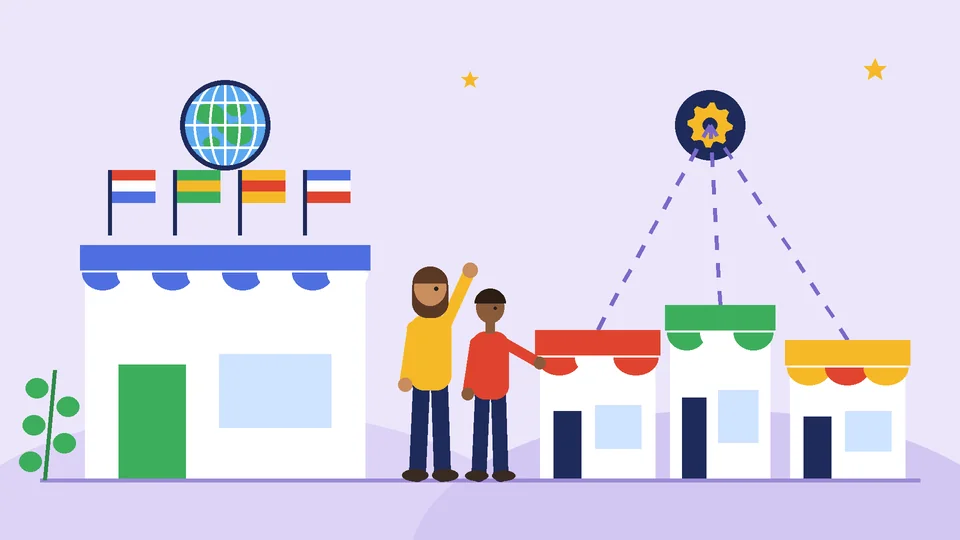
The trade-off is operational. Shopify notes that each expansion store has its own data, settings, products, and inventory, nothing syncs by default, apps are billed per store, and each store needs its own theme licence.
| Consideration | One store with Markets | Plus expansion stores |
|---|---|---|
| Catalog and inventory | Shared, adjusted per market | Separate per store, synced by app or ERP |
| Theme and content | One theme, customized per market on Advanced and Plus | Separate theme per store |
| Apps | Installed and billed once | Billed per store |
| SEO authority | Shared when using subfolders | Split across domains |
| Good fit when | Same products and one team | Different assortments, teams, or operations by region |
Choose expansion stores when a region genuinely runs as its own business, with a different range, a local team, separate fulfillment, or rules one store can’t handle. Otherwise, start with Markets and add complexity only when a specific need appears.
Plus features that matter for cross-border retailers
When international revenue grows, a few Plus capabilities start to justify the fee. Shopify’s Plus plan page lists them as of October 2026:
- Checkout blocks by market. Show different checkout content per country, such as delivery notices or local compliance text.
- Business entities by market. Map markets to separate legal entities, which helps retailers with local companies abroad.
- Expansion stores. Up to nine additional stores for the same brand, managed from one organization.
- Unlimited B2B catalogs. Useful when wholesale accounts span several countries. Our guide to Shopify Plus for B2B merchants covers this in detail.
- Shopify Functions and Launchpad. Custom discount and checkout logic, plus scheduled promotions you can time to each region’s sales calendar.
If you are weighing the fee itself, our analysis of whether Shopify Plus is worth the extra cost shows how to compare it against the apps and workarounds it replaces.
Cross-border launch checklist
Launch one market properly before adding five. In our experience at PROSeCommerce, the retailers who struggle abroad usually skipped the data work, not the storefront work.
- Pick the first market from evidence. Use existing international orders, traffic, and shipping enquiries rather than guesses.
- Fix product data. Add HS codes, countries of origin, and accurate weights to every product you plan to sell abroad.
- Set shipping rates and carriers. A market can’t be activated without rates. Decide between DDP and DDU shipping.
- Decide who is merchant of record. Register for local taxes yourself, or check whether Managed Markets fits your business.
- Configure currency and pricing. Set rounding, any price adjustments, and tax-inclusive display where shoppers expect it.
- Translate and adapt content. Translate products, policies, and notifications, and adapt promotions and sizing to local norms.
- Set up domains. Start with subfolders unless you have a reason for country domains, and submit sitemaps in Google Search Console.
- Review returns and policies. Write clear international return terms. EU shoppers have withdrawal rights that your policy must respect.
- Test orders end to end. Place test orders, check duties, invoices, payouts, and notification emails in each language.
- Measure by market. Track conversion, returns, and duty costs per market, and adjust prices before expanding further.
Budget and timeline for going international
Platform fees are the predictable part. The larger costs are translation, product data cleanup, tax registrations or advice, shipping setup, and any ERP or 3PL integration. As general industry planning ranges, adding one or two markets to a well-organized store often takes a few weeks. A multi-region rollout with translations, local entities, and integrations commonly takes several months, with budgets from a few thousand dollars to well into five or six figures. These are general industry planning ranges, not quotes or guarantees.
Frequently asked questions about Shopify international selling
Can I sell internationally on the Shopify Basic plan?
What is the difference between Shopify Markets and Managed Markets?
How many expansion stores come with Shopify Plus?
Does Shopify add hreflang tags automatically?
Do I need Shopify Payments to sell in multiple currencies?
How long does it take to launch a new international market?
Plan your first international market
Shopify gives every plan the core tools to sell abroad, so the real decisions are which market to open first, who acts as merchant of record, and whether one store is enough. Start with one well-prepared market, measure it, and move to Advanced or Plus when per-market customization, entities, or expansion stores become real requirements.
If you are planning cross-border selling on Shopify or moving an international Magento store, PROSeCommerce can help you map markets, data, and migration steps. Start with our Shopify migration services.